Notion vs ClickUp: Which Tool is Right For Your Workflow?
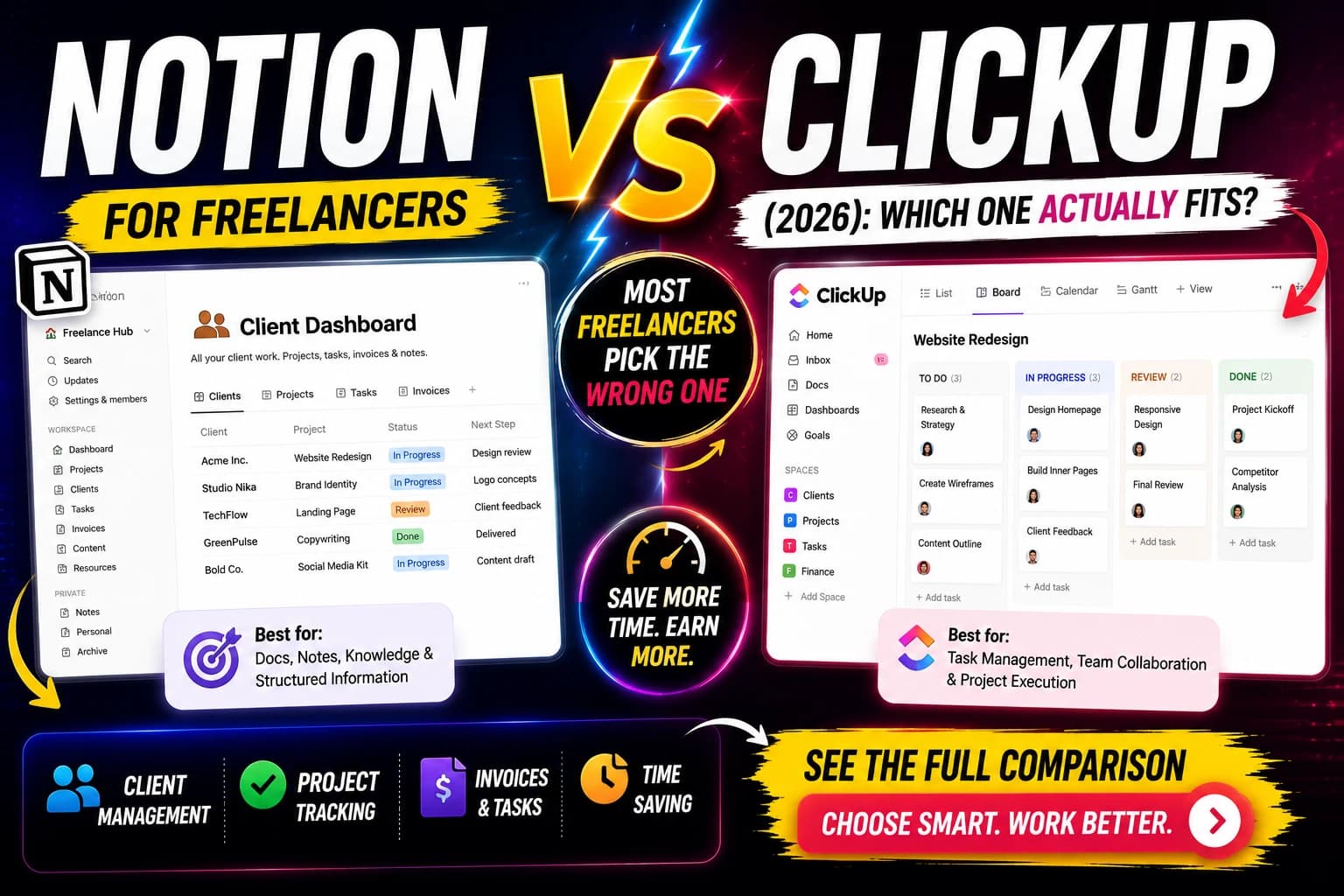
I used Notion for client work for two years. Switched to ClickUp for three months at the recommendation of a developer friend who managed a team of eight. Switched back to Notion within six weeks.
That experience is not an argument for Notion. It is an argument for understanding what each tool is actually designed for before committing. The switch back happened not because ClickUp is worse, but because the way I work — mostly solo, mostly writing, managing five or six clients at once — maps to Notion's architecture more naturally than ClickUp's.
Three months of ClickUp taught me exactly why some people swear by it and others abandon it in the first week. This comparison explains that gap.
The Core Difference
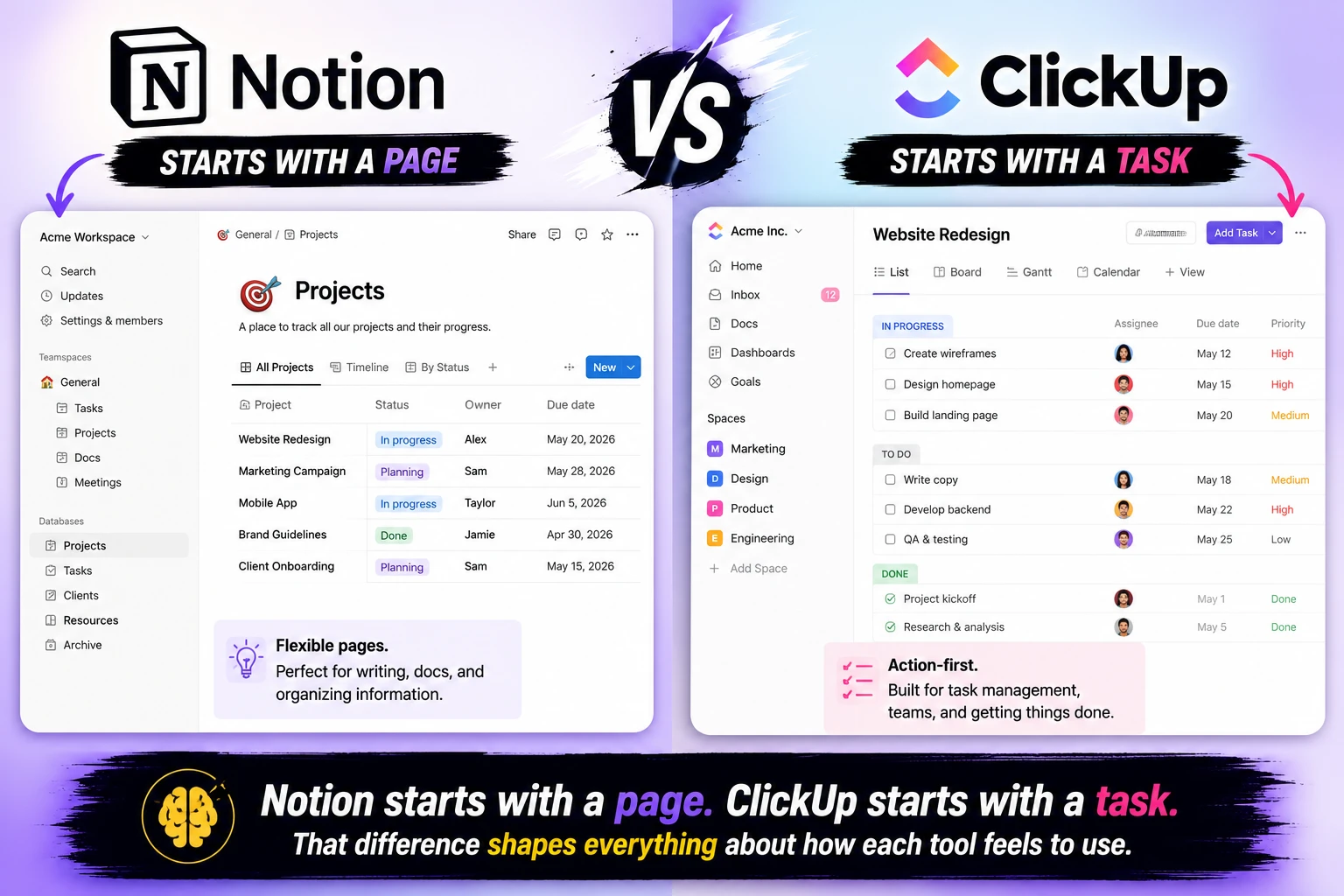
Notion is a document-first workspace. It gives you flexible pages and databases that you shape into whatever structure your work needs. The upside is maximum flexibility. The downside is that building useful structure requires real upfront investment.
ClickUp is a project management tool first. It gives you a structured task hierarchy — Spaces, Folders, Lists, Tasks — with documentation living alongside it. The upside is that you get a working project management system immediately. The downside is that the structure is sometimes more rigid than your actual work.
Notion's document-first architecture is better for solo users, freelancers, and small teams under five people, where its free plan and simpler onboarding provide more immediate value. ClickUp emphasizes structured project management workflows with built-in time tracking and goal management.
Both tools have evolved to include AI, automations, and robust mobile apps. The fundamental difference in philosophy has not changed.
Quick Comparison
| Notion | ClickUp | |
|---|---|---|
| Starting Price | Free / $10/user/month (Plus) | Free / $7/user/month (Unlimited) |
| Business Tier | $18/user/month | $12/user/month |
| AI Features | Included in Business ($20) | Separate add-on ($7/user) |
| Free Plan Limits | 10 guests | Unlimited members |
| Time Tracking | No native tracking | Built-in |
| Gantt Charts | No | Yes |
| Templates | 10,000+ | 1,000+ |
| User Base | 100 million users | 10 million users, 800,000 teams |
| Best For | Knowledge workers, writers, freelancers | Project managers, dev teams, agencies |
| Rating | 4.7/5 | 4.6/5 |
Pricing — The Real Numbers
ClickUp is cheaper. ClickUp Unlimited costs $7/user/month on annual billing while Notion Plus runs $10/user/month. At the Business tier, ClickUp charges $12/user/month versus Notion's $18/user/month. For a 10-person team on mid-tier plans, ClickUp saves roughly $360/year over Notion.
That pricing advantage is real — but it has a catch on the AI side.
ClickUp's AI features are offered as a separate add-on. ClickUp Brain, AI Notetaker, Super Agents, and other AI-powered workflows are not automatically included in the base plans. The add-on costs $7/user/month.
A 15-person team paying ClickUp Business plus Brain is paying $19 per user per month all-in — that is the $12 base plus $7 AI — which lands close to Notion Business at $20 per user.
For teams using AI features heavily, the pricing gap effectively closes. For teams that don't need AI, ClickUp is meaningfully cheaper at every tier.
Free plan comparison:
ClickUp's free plan supports unlimited members — a significant advantage for teams. Notion's free plan limits guests to 10 and does not include version history beyond 7 days. For a growing team on a tight budget, ClickUp's free tier goes further.
For solo freelancers, both free plans are genuinely usable. Notion's template ecosystem on the free plan is more developed — the community has built entire freelance operating systems including CRM databases, invoice trackers, and portfolio pages available at no cost.
Features — What Each Tool Does Differently
Where ClickUp Wins
Time tracking: ClickUp has native time tracking built in. You log hours directly on tasks. Reports show time spent by project, by team member, by time period. For agencies and freelancers who bill by the hour, this is a meaningful workflow advantage. Notion has no native time tracking — you need a third-party integration or manual logging.
15+ native views: ClickUp offers Gantt charts, Mind Maps, workload views, timeline views, and more alongside the standard list, board, and calendar. For project managers who think visually and need to see resource allocation and dependencies, ClickUp's view diversity is hard to match.
Task hierarchy: Spaces → Folders → Lists → Tasks → Subtasks → Checklists. For complex projects with many moving parts, ClickUp's structured hierarchy keeps large amounts of work organized in a way that Notion's flexible pages don't enforce.
Built-in chat: ClickUp 4.0 added built-in chat in 2026. Chat lives alongside tasks in the same workspace, and conversations can be linked to specific tasks. For teams that want communication and task management in one place, this matters.
Automations: ClickUp's automation engine is more powerful than Notion's for structured workflows. "When task status changes to Done, notify the project lead and move to the review list" is a multi-step automation that ClickUp handles natively.
Where Notion Wins
Flexibility: Notion's blank canvas approach means you can build exactly the structure your work needs — not the structure someone else decided you need. A freelance writer's Notion workspace looks completely different from a developer's, and both work well. ClickUp's hierarchy is more opinionated.
Documentation quality: Notion's block-based editor is better for long-form writing, documentation, and knowledge bases. Nested pages, toggle sections, callouts, and embedded databases all work more cleanly in Notion's editor than in ClickUp Docs.
Template ecosystem: Notion's template gallery provides pre-built systems for every freelancer workflow imaginable, and its offline mode means work continues on flights and in cafes without Wi-Fi. Notion's community has created entire "operating systems" for freelancers that include CRM databases, invoice trackers, and portfolio pages. ClickUp has templates too, but the community ecosystem is smaller.
AI integration: Notion AI is built into the workspace natively — summarize a page, draft in the same document, extract action items from meeting notes. The integration feels seamless because it lives where you're already working. ClickUp Brain requires switching into a separate AI mode.
Simplicity for small teams: Notion is also the better choice for solo users, freelancers, and small teams under 5 people, where its free plan and simpler onboarding provide more immediate value.
Real Use Cases — Who Should Use Which
Freelancers
Notion wins for most freelancers. The template ecosystem, flexible database structure for client management, and cleaner document editing experience align with how freelance work actually happens — writing, organizing, sharing documents with clients, tracking projects across different stages.
ClickUp wins for freelancers who bill hourly. The native time tracking, combined with task management, removes the need for a separate time tracking app. If your workflow involves logging hours against specific tasks and generating time reports for clients, ClickUp's free plan covers this better than Notion's at any price.
Small Teams (2-10 people)
Both tools work. The deciding factor is whether your team's primary activity is creating and managing documents or executing and tracking tasks.
Document-heavy teams — content agencies, consulting firms, marketing teams — fit Notion's architecture better. Task-heavy teams — software development, operations, client service — fit ClickUp better.
The collaboration experience in both tools is solid. ClickUp's free plan supporting unlimited members is a meaningful financial advantage for growing teams watching costs.
Larger Teams
Large organizations need advanced permissions, audit logs, compliance certifications, and cross-departmental visibility. ClickUp's enterprise features are more mature, with granular RBAC, advanced reporting across spaces, and SOC 2 Type II compliance.
For software development teams specifically, ClickUp's project management focus, time tracking, and GitHub integration create a more streamlined development workflow. Notion better serves teams that blend development with extensive documentation needs.
The Learning Curve — Honest Assessment
Both tools have real learning curves. The curves feel different.
Notion's learning curve is about structure. The block system clicks quickly. The challenge is deciding what structure to build — and there is no right answer, which is both the tool's strength and its most common reason for abandonment. Many users build elaborate Notion workspaces they maintain but do not actually use efficiently.
ClickUp's learning curve is about volume. The sheer number of features, views, settings, and options is overwhelming on first encounter. New users often spend their first week exploring settings rather than doing work. Once configured, ClickUp becomes fast to operate. Getting to that point requires an investment upfront.
ClickUp provides more immediate value with less setup time, while Notion offers greater long-term flexibility with higher initial investment in configuration.
That assessment holds for teams. For individuals, Notion's simpler starting point often means getting productive faster.
Switching Costs — What Migration Actually Looks Like
If you are currently using one and considering switching:
Notion to ClickUp: Expect to spend 5 to 6 hours reconfiguring your workflow. Notion's database structure does not map cleanly to ClickUp's task hierarchy. Documents transfer reasonably. Database logic requires rebuilding.
ClickUp to Notion: Expect 4 to 5 hours. Task management data exports as CSV. The main work is deciding how to restructure your ClickUp Spaces and Lists into Notion databases.
Neither migration is painless. Factor the switching cost into your decision if you are currently using either tool and considering a change.
Final Verdict
Choose ClickUp if your primary need is efficient project management with time tracking at a competitive price. Teams executing structured projects with multiple people, dependencies, and hour-based billing will find ClickUp's architecture matches their work better — and the $7/user/month entry point is the most competitive in the category.
Choose Notion if you are a knowledge worker, freelancer, or small team whose primary output is documents, wikis, and databases rather than task execution. The flexibility, template ecosystem, and AI integration are better suited to this kind of work — and for solo users, the free tier is as capable as anything else available.
For most freelancers reading this: start with Notion's free plan. The template ecosystem alone justifies the onboarding investment. If you find yourself needing time tracking or Gantt charts that Notion doesn't provide, that is the signal to evaluate ClickUp.
For full context on Notion before you decide, see our Notion review for 2026. For a broader look at free productivity tools, see our best free Notion alternatives and Notion vs Obsidian comparison.
FAQ
Is ClickUp cheaper than Notion?
Yes. ClickUp Unlimited costs $7/user/month versus Notion Plus at $10/user/month. At Business tier, ClickUp charges $12/user/month versus Notion's $18/user/month. However, ClickUp's AI features cost an additional $7/user/month as a separate add-on, which closes the gap for teams using AI heavily.
Which is better for freelancers — Notion or ClickUp?
Notion is better for most freelancers — particularly those whose work involves writing, documentation, and client knowledge management. ClickUp is better for freelancers who bill by the hour and need native time tracking built into their task management.
Does ClickUp have a free plan?
Yes. ClickUp's Free Forever plan supports unlimited team members, unlimited tasks, and core features including collaborative docs. The main limitations are 100MB storage and restricted reporting features.
Can Notion replace ClickUp for project management?
Partially. Notion handles kanban boards, databases, and task tracking. It does not have native Gantt charts, built-in time tracking, or ClickUp's advanced automation engine. For complex multi-person projects with dependencies and hour tracking, ClickUp's project management depth is meaningfully stronger.
Which tool is better for remote teams?
Both work well for remote teams. ClickUp's chat integration in 4.0, combined with task management, gives remote teams more communication tools in one place. Notion's documentation quality and real-time collaborative editing are stronger for teams whose primary collaboration happens in documents rather than tasks.
Where can I compare more productivity tools?
See our full productivity SaaS reviews at TechVaultAI for comparisons of the major tools in this category.
📬 Get the Latest Reviews in Your Inbox
Once a week — AI tools, SaaS & gadget reviews delivered straight to your email.