Notion Review 2026: I Replaced 4 Apps With It

Last Updated: May 28, 2026 — 11 min read — Independently tested by TechVaultAI
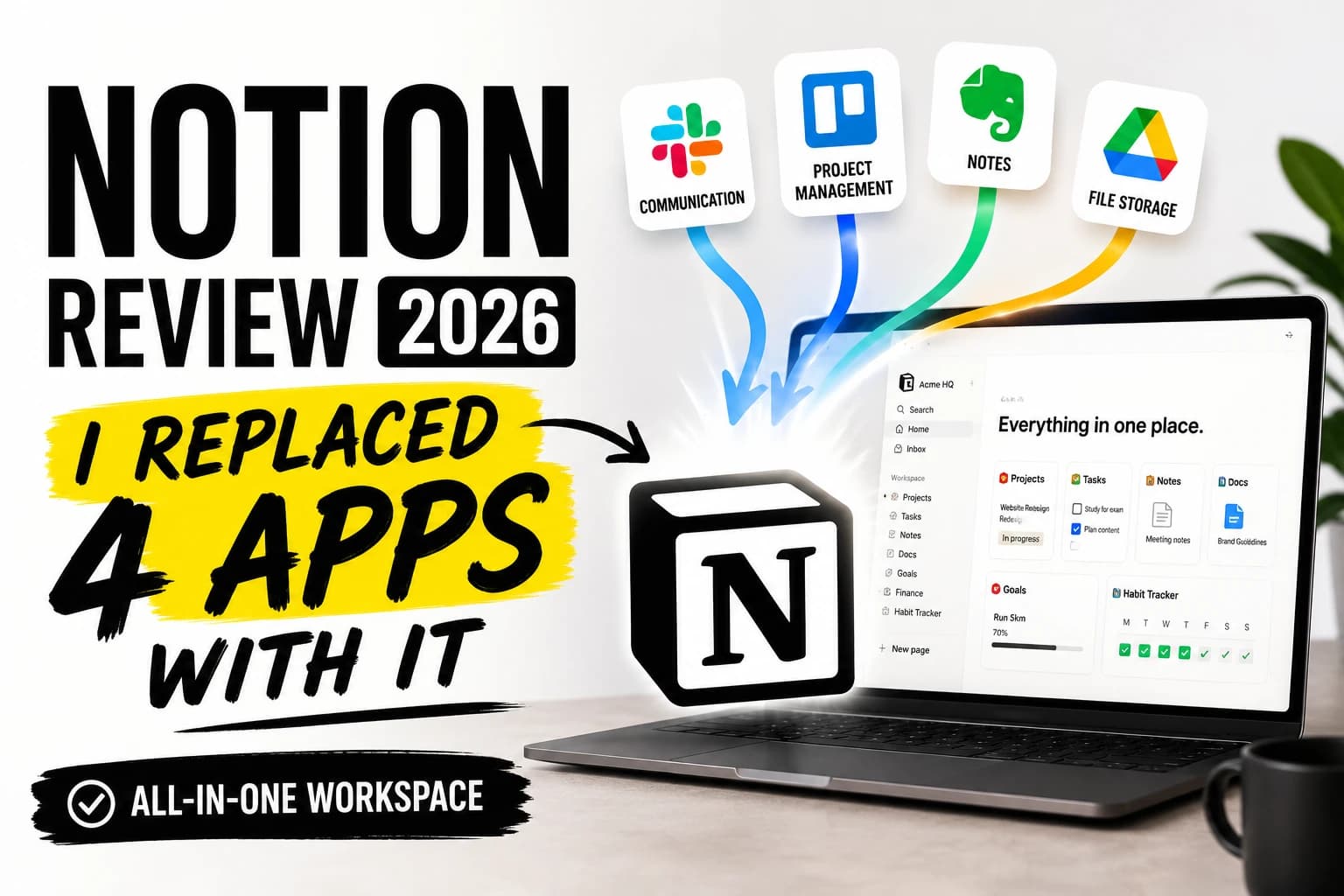
Before Notion, my freelance setup was a mess of tabs. Trello for tracking client projects. Google Docs for the actual writing. A spreadsheet for invoices. Apple Notes for everything that didn't fit anywhere else. Four apps open at once, constantly switching, regularly losing things.
I decided to test whether one tool could actually replace all of them. I used Notion exclusively for 60 days on real client work. No demo mode, no cherry-picked examples. This is what happened.
Quick Summary
Rating | 4.3 / 5 |
Price | Free — Plus $10/user/month — Business $20/user/month |
Best for | Freelancers, students, small teams who want one flexible workspace |
Not for | Anyone who needs a quick, zero-setup note app |
Free plan | Yes — unlimited pages, no credit card required |
Try free | notion |
What Is Notion, Actually?
Notion is a workspace app built around a simple but powerful idea: everything is a block. Paragraphs, tables, checklists, images, databases, calendar views — all modular, all rearrangeable, all nestable inside each other.
That sounds like a marketing language until you use it. In practice it means you can build almost anything you need — a client CRM, a content calendar, a reading list, a product roadmap — without downloading anything extra or paying for a different tool.
It was founded in 2016 and reached 30 million users by 2026. The range of people using it tells you something: students building semester dashboards, solo freelancers running their entire business out of one workspace, and engineering teams at large companies documenting internal processes. That kind of breadth is rare.
The flexibility is also what makes the first week hard. There is no single right way to use Notion, which means you have to figure out your own setup. That is a real cost.
Notion Pricing in 2026 — What You Actually Pay
Four plans. Here is what each one actually means for a solo user or small team.
Free — $0 forever. Unlimited pages and blocks for individual use, 10 guest invites, 5MB file upload limit, 7-day page history, Notion Calendar included, trial access to Notion AI. No credit card required. This is a real starting plan — not a crippled trial designed to push you toward paid.
Plus — $10/user/month billed annually ($12 monthly). The main upgrades: unlimited guests, 30-day page history, larger file uploads. For freelancers who share workspaces with more than 10 clients, this is where you need to be.
Business — $20/user/month billed annually. Full Notion AI access including AI Agents and Ask Notion, private teamspaces, 90-day history, SAML SSO. This is where things get expensive for solo users.
The AI pricing changed significantly in 2026. Notion eliminated the separate $10 AI add-on and moved full AI access exclusively into the Business plan. A solo user on Plus who wants AI Agents now pays $20/month instead of $18. That shift frustrated a lot of Plus users. Worth knowing before you budget.
For most freelancers: start free, upgrade to Plus when you exceed 10 guests.
Full details: notion.so/pricing
60 Days of Real Use — What I Actually Tested
Week 1–2: Moving Client Projects Out of Trello
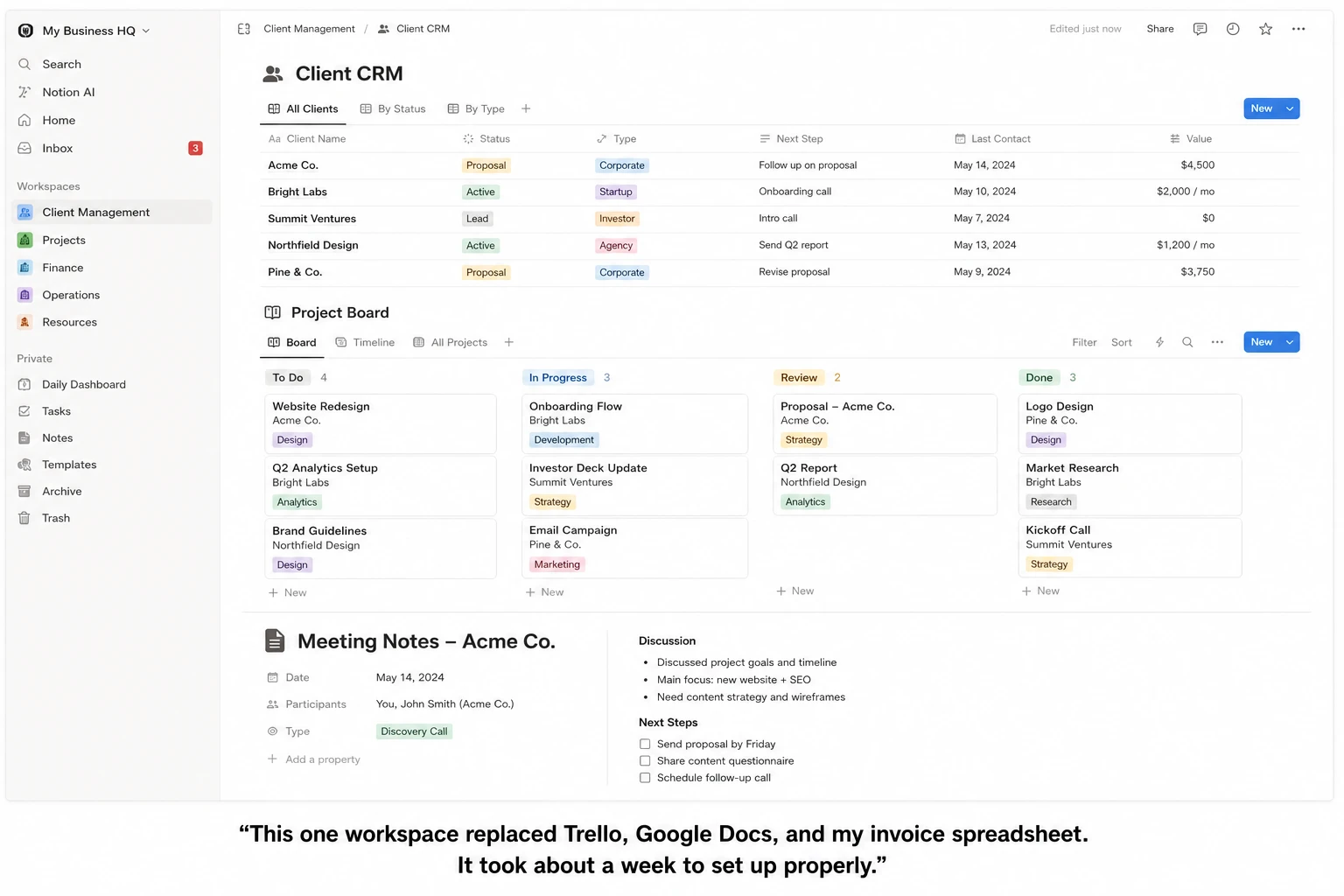
Setting up the kanban replacement took 45 minutes. I built a database with columns for client name, project status (Backlog, In Progress, Review, Done), deadline, and payment status. Switched to kanban view. It looked close to Trello.
The real difference: I could link each project card directly to the document I was writing for that client. In Trello, my card said "Write a Q2 blog post." In Notion, clicking the card opened the actual draft. One fewer window. One fewer context switch per task.
What I lost: Trello's simplicity. If you hand Trello to someone who has never used it, they get it in ten minutes. Notion is not like that. My setup required decisions. Which fields matter? How should statuses work? That setup time is real.
Week 2–3: Replacing Google Docs for Client Writing
I moved all active client writing into Notion documents. The editor handles long documents without issues. Headings, callout blocks, toggle sections, inline code — the formatting options cover most of what I actually use.
Collaboration held up. Four clients accessed their respective pages as guests. Comments worked. Live editing worked. Zero complaints from anyone.
One thing broke: exports. A client who needed a Word file got a .docx with formatting issues around tables. Not broken, but not professional-grade. If clean document export matters to your clients, this is worth knowing upfront.
Week 3–5: Building a Freelance CRM
This is where I became an actual Notion believer.
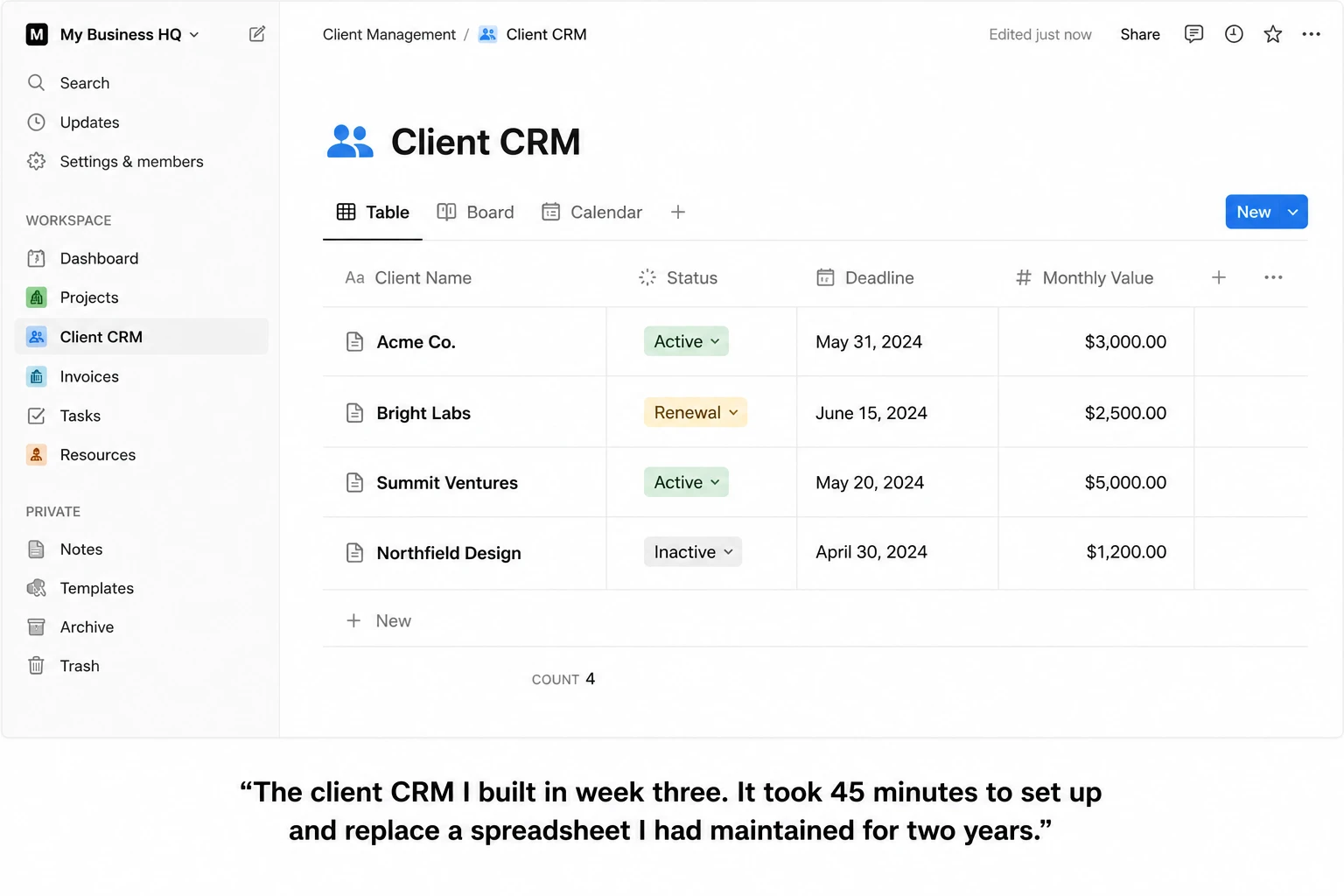
I built a client database with 12 fields: name, email, project type, retainer amount, contract start, renewal date, notes, and linked project pages. Three views — table for data entry, gallery for a quick visual scan, a filtered view showing only active clients with renewals in the next 30 days.
After two weeks, I stopped opening my spreadsheet. The invoice tracking lived in Notion. The client notes lived in Notion. The project drafts were linked from the same database. For the first time in three years of freelancing, everything was in one place.
Week 5–7: Testing Notion AI
On the Plus plan I got basic AI: writing assistance, page summaries, grammar fixes. Useful, not impressive. The output quality is lower than Rytr or a standalone Claude session for actual writing tasks. It works for quick summaries and first-draft outlines. I would not rely on it for client-facing copy.
The Business-tier AI Agents are a different story. I tested them on a free trial — querying my workspace across pages, automating recurring task creation. Genuinely useful for larger workspaces. For a solo user with a small setup, the basic AI on Plus covers what you actually need.
Visit Our Latest Review: Rytr Review 2026
Where Notion Genuinely Falls Short
The learning curve is steep and the first week is rough. Most people hit a wall around day three where the tool feels more complicated than whatever they were using before. That feeling usually passes by day ten. But it is a real cost, and not everyone pushes through.
Offline access is limited. Notion requires an internet connection for most things. You can view recently opened pages without wifi, but editing and syncing need a connection. I lost 20 minutes of work once when my connection dropped mid-edit and the sync failed. If you work regularly without reliable internet, this is a genuine problem.
The mobile app is still behind the desktop version. For quick capture — jotting a note, checking a task — it works fine. For editing a complex database or formatting a long document on your phone, it is clunky. Serious work still happens on the desktop.
Export quality is inconsistent. The Word export issue I mentioned earlier is the main example. PDFs fare better. If a significant part of your workflow involves sending formatted documents to clients, test this before you commit.
Notion vs. The Alternatives
Notion vs. Obsidian: Obsidian stores everything as plain text files on your device, which means complete offline access and full data ownership. It is better for private knowledge management and long-form writing. There are no collaborative features. If you work solo and care about owning your data permanently, Obsidian is worth a serious look. If you need to share workspaces with clients or teammates, Notion wins.
Notion vs. ClickUp: ClickUp has stronger dedicated project management features — time tracking, goals, sprints, Gantt charts — all built in without add-ons. For teams that live in a project management tool, ClickUp competes more directly with Asana. Notion is more flexible but requires more setup to match ClickUp's PM depth.
Notion vs. Confluence: Confluence starts at $6.05/user/month but lacks Notion's database and visual flexibility. For teams deep in the Atlassian ecosystem (Jira, Bitbucket), Confluence is the natural choice. For everyone else, Notion is more capable and easier to customize.
Notion vs. Coda: Coda's formula and automation capabilities are more powerful than Notion's for teams that need complex workflows without writing code. Pricing is comparable. If automation is the primary use case, Coda is worth evaluating before defaulting to Notion.
If you are still weighing options, check out our full SaaS tool reviews on TechVaultAI — we cover most of the major productivity and AI tools with the same hands-on format.
Who Should Actually Use Notion
Freelancers get the most out of Notion when they use it as a full business operating system — projects, clients, writing, and invoicing in one workspace. The free plan handles most of this. Upgrade to Plus when you have more than 10 active client guests.
Students benefit from the free plan without needing to upgrade. A semester dashboard, lecture notes with embedded resources, an assignment tracker, and a reading list all fit comfortably in the free tier. If you are a student looking for free AI tools alongside Notion, our guide to the best free AI tools for students in 2026 covers what pairs well with it.
Small teams should evaluate Plus ($10/user) for the unlimited guest access and longer version history. Business ($20/user) only makes sense when you need the full AI features or enterprise-level permissions.
Who should not use Notion: Anyone who wants to open an app and immediately start capturing notes without setup. Apple Notes, Bear, or Google Keep will serve you better for that specific job. Notion rewards investment — it takes time to build something useful.
Pros and Cons
Pros:
Free plan includes unlimited pages — no expiry, no credit card, not a trap
Replaces multiple apps once properly set up
Block-based editor adapts to almost any use case
Client collaboration is reliable and straightforward
Large template library reduces initial setup time
Notion ships real updates regularly — the product has meaningfully improved every year
Cons:
First week is genuinely difficult — the learning curve is real
Full AI features now require the $20/month Business plan
Limited offline access — connection drops cause problems
Mobile app trails the desktop experience significantly
Word and PDF export quality is inconsistent for complex formatting
Final Verdict
After 60 days of using Notion as my only productivity tool, I am still using it. The four apps are gone. That is the clearest thing I can tell you.
It is not the right tool for everyone. If you want something you can open and use in five minutes without setup, Notion will frustrate you. But if you are a freelancer or student willing to spend a week building a system that actually fits how you work, there is nothing else at this price point that comes close.
Start with the free plan. Give it a real week — not a demo, a week of actual work. If you are still using it on day seven, Plus at $10/month is worth it. If you want Notion's full AI capabilities and have a Business use case, the $20/month plan is genuinely good value compared to paying for Plus plus a separate AI tool.
Frequently Asked Questions
Is Notion free forever?
Yes. The free plan includes unlimited pages and blocks for individual use, Notion Calendar, 10 guest invites, and a trial of Notion AI. No expiry, no credit card required.
Is Notion good for students?
Yes — it is one of the best free productivity tools available for students. The free plan covers notes, assignment tracking, reading lists, and databases without any cost. The main hurdle is the learning curve in the first few days. Our best free AI tools for students guide covers what pairs well with Notion for academic work.
Does Notion work offline?
Partially. You can view recently opened pages without an internet connection. Editing and syncing require a connection. For regular offline work, this is a real limitation.
What happened to Notion AI pricing in 2026?
In May 2025, Notion removed the separate $10/month AI add-on and moved full AI access — including AI Agents and Ask Notion — into the Business plan at $20/user/month. Basic AI writing assistance remains available on Plus and Free plans.
Is Notion better than Google Docs?
For straightforward document writing and easy sharing with external collaborators, Google Docs is faster to start. For running a full freelance or student workflow — projects, notes, databases, and documents in one place — Notion is significantly more capable. They solve different problems.
How does Notion compare to other AI-powered SaaS tools?
Notion's AI is useful but not best-in-class for writing tasks. For dedicated AI writing, our Rytr review covers a tool that handles short-form content faster and cheaper. For a broader comparison of AI SaaS tools, see all our SaaS tool reviews.
Disclosure: Some links in this post are affiliate links. If you sign up through them, TechVaultAI earns a small commission at no extra cost to you. I paid for this Notion account myself — no free access, no sponsorship, no early preview.
Have a specific Notion setup you rely on? Drop it in the comments — I read every one.
Bottom Line
Notion is the most flexible all-in-one workspace in 2026. The free plan is genuinely usable — not a stripped-down trial. For freelancers managing clients and projects, Plus at $10/month replaces tools that would cost 3x more separately. The learning curve is real, but it pays off within two weeks.
Frequently Asked Questions
What is Notion, and what is its core concept?▾
Notion is a versatile workspace app built around the powerful idea that 'everything is a block.' These blocks can be paragraphs, tables, checklists, images, databases, or calendar views, all modular, rearrangeable, and nestable. This flexibility allows users to build almost anything they need, such as a client CRM, content calendar, or product roadmap, without needing separate tools.
What types of apps can Notion replace?▾
Based on the author's experience, Notion can replace several specialized apps. It effectively substituted Trello for project tracking, Google Docs for writing, a spreadsheet for invoices, and Apple Notes for general note-taking, consolidating these functions into a single workspace.
Is there a free version of Notion available in 2026?▾
Yes, Notion offers a robust Free plan. It includes unlimited pages and blocks for individual use, 10 guest invites, a 5MB file upload limit, 7-day page history, Notion Calendar, and trial access to Notion AI. No credit card is required to start using this plan.
How much do Notion's paid plans cost in 2026?▾
In 2026, Notion's paid plans are: Plus, at $10/user/month when billed annually ($12 monthly), and Business, at $20/user/month when billed annually. The Free plan remains $0 forever.
Who is Notion best suited for?▾
Notion is best suited for freelancers, students, and small teams who are looking for a highly flexible, all-in-one workspace. Its adaptability allows users to customize it for diverse needs, from managing client projects and content calendars to organizing academic work or internal company processes.
What are the key differences between the Plus and Business plans?▾
The Plus plan ($10/user/month annually) offers unlimited guests, 30-day page history, and larger file uploads, making it ideal for freelancers collaborating with many clients. The Business plan ($20/user/month annually) includes full Notion AI access (AI Agents and Ask Notion), private teamspaces, 90-day history, and SAML SSO, catering to more advanced team and AI requirements.
How did Notion's AI pricing change in 2026?▾
In 2026, Notion eliminated the separate $10 AI add-on. Full Notion AI access, including features like AI Agents and Ask Notion, is now exclusively integrated into the Business plan. This means users on the Plus plan who desire full AI functionality must upgrade to the Business plan, resulting in a higher monthly cost for AI access compared to previous years.

Written by
Asif IqbalSenior Writer
Asif Iqbal is the Founder & CEO of Tech Vault AI, leading the team's hands-on testing of AI tools and SaaS products & Tech reviews. He's focused on cutting through marketing hype to help readers find what actually works.
Notion Review 2026: I Replaced 4 Apps With It reviews
Loading reviews...
Questions & Answers
Loading questions...
📬 Get the Latest Reviews in Your Inbox
Once a week — AI tools, SaaS & gadget reviews delivered straight to your email.