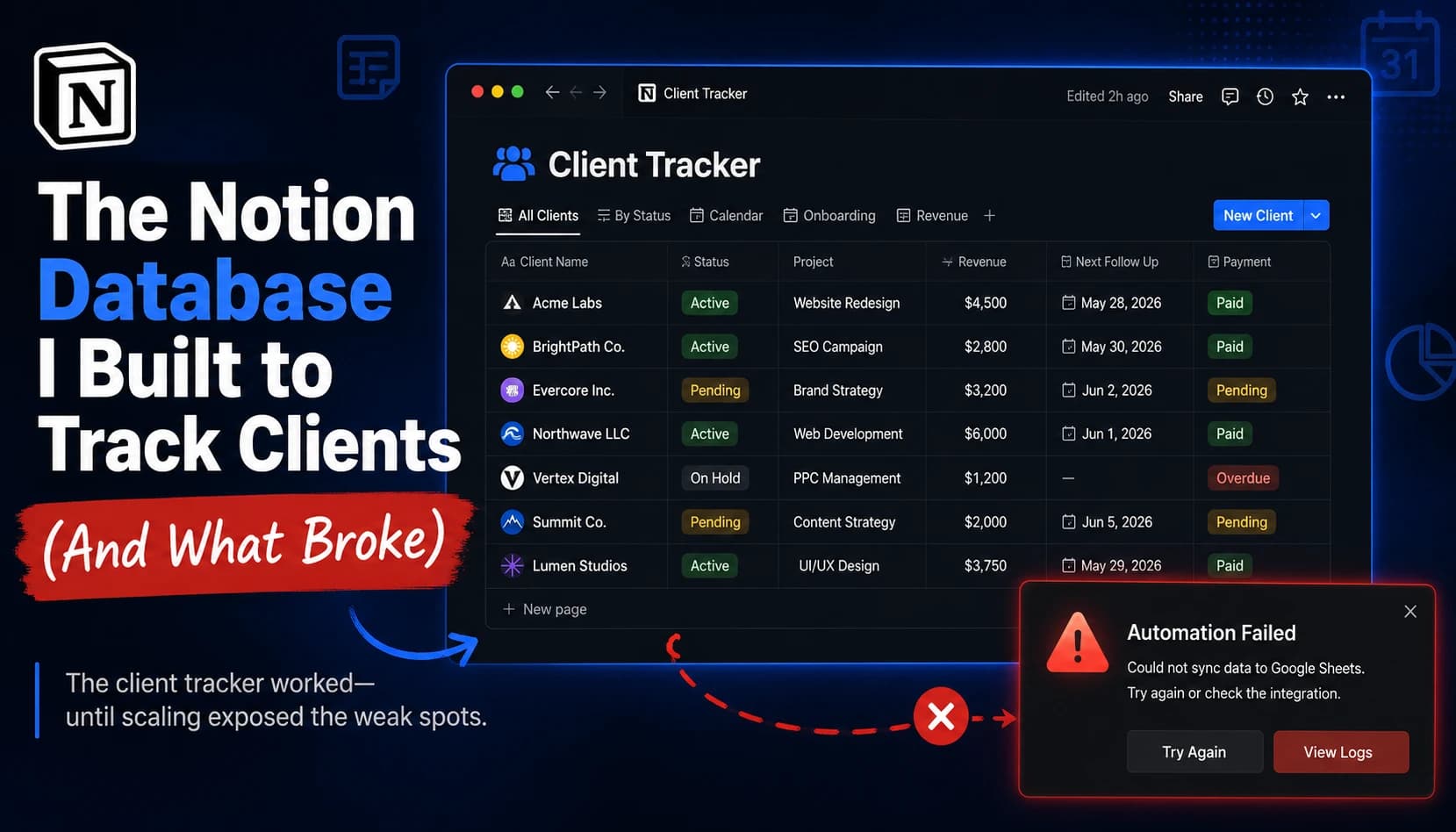
The Notion Database I Built to Track Clients (And What Broke)

Pros
- Fast and genuinely useful at a small scale (5-6 clients); linked relations connect clients, sites, and schedules in one place; free plan is enough for solo use; works on mobile between meetings
Cons
- Slows down past ~20-30 linked rows; relations and rollups make it heavier, not lighter; free-plan block and guest limits hit fast on teams; weak offline and sync-conflict issues; paid upgrade doesn't fix the architectural slowdown
If you run an agency or freelance and you're about to build a client tracker in Notion: it works, but it breaks at a specific point, and knowing where saves you a painful migration later. Notion is great for a small client list — mine ran fine at 5–6 clients — but past roughly 20–30 rows with relations and rollups, it slows down enough that you'll feel it every day, and no paid plan fixes it because the problem is architectural, not a limit you can pay to remove.
I built one to run my SEO work — tracking clients, their websites, and content schedules in one place. This is the exact setup, the moment it started dragging, why upgrading didn't help, and where I moved. Not a "10 best Notion templates" post. A real one, from someone who used it, hit the wall, and left.
What I actually built
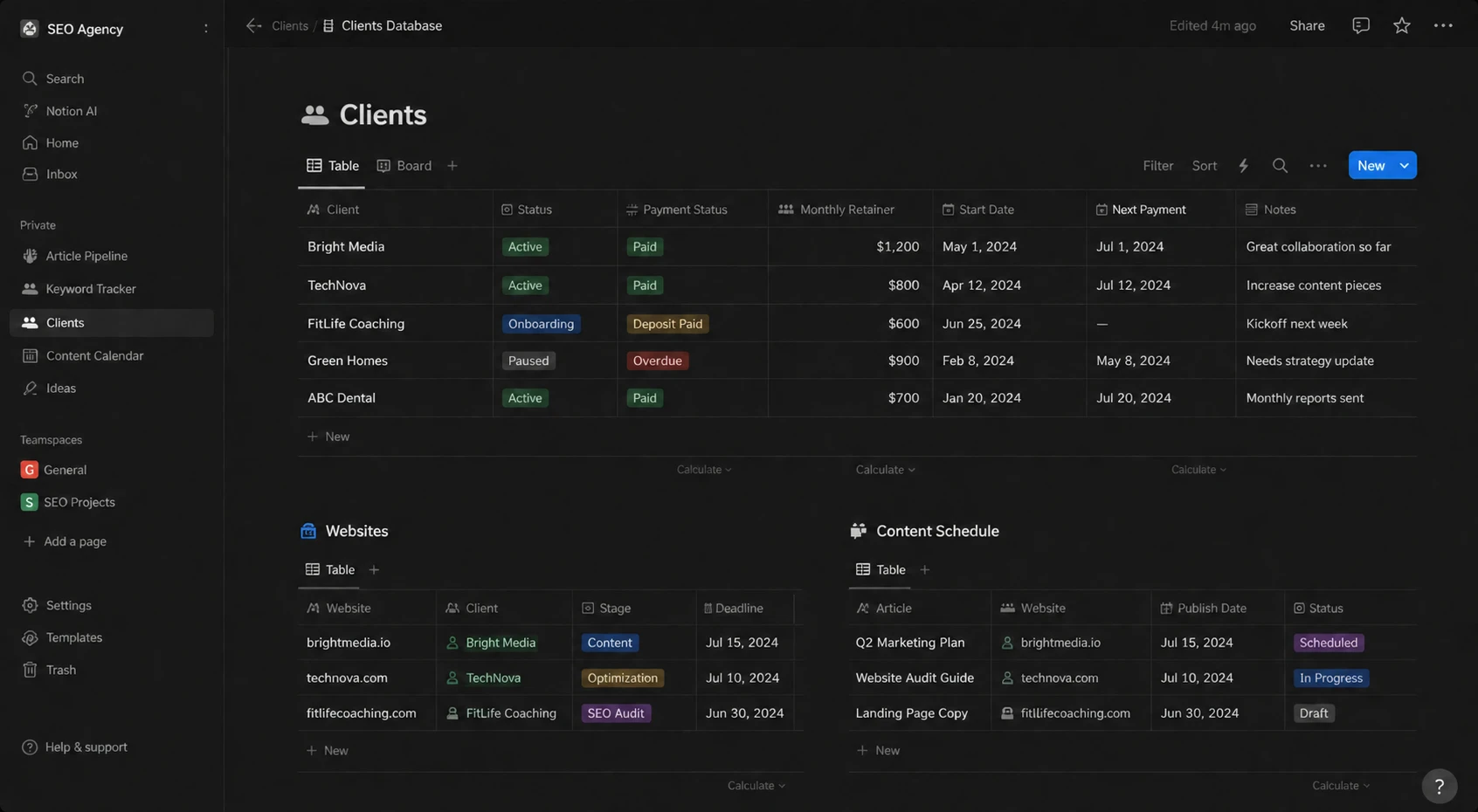
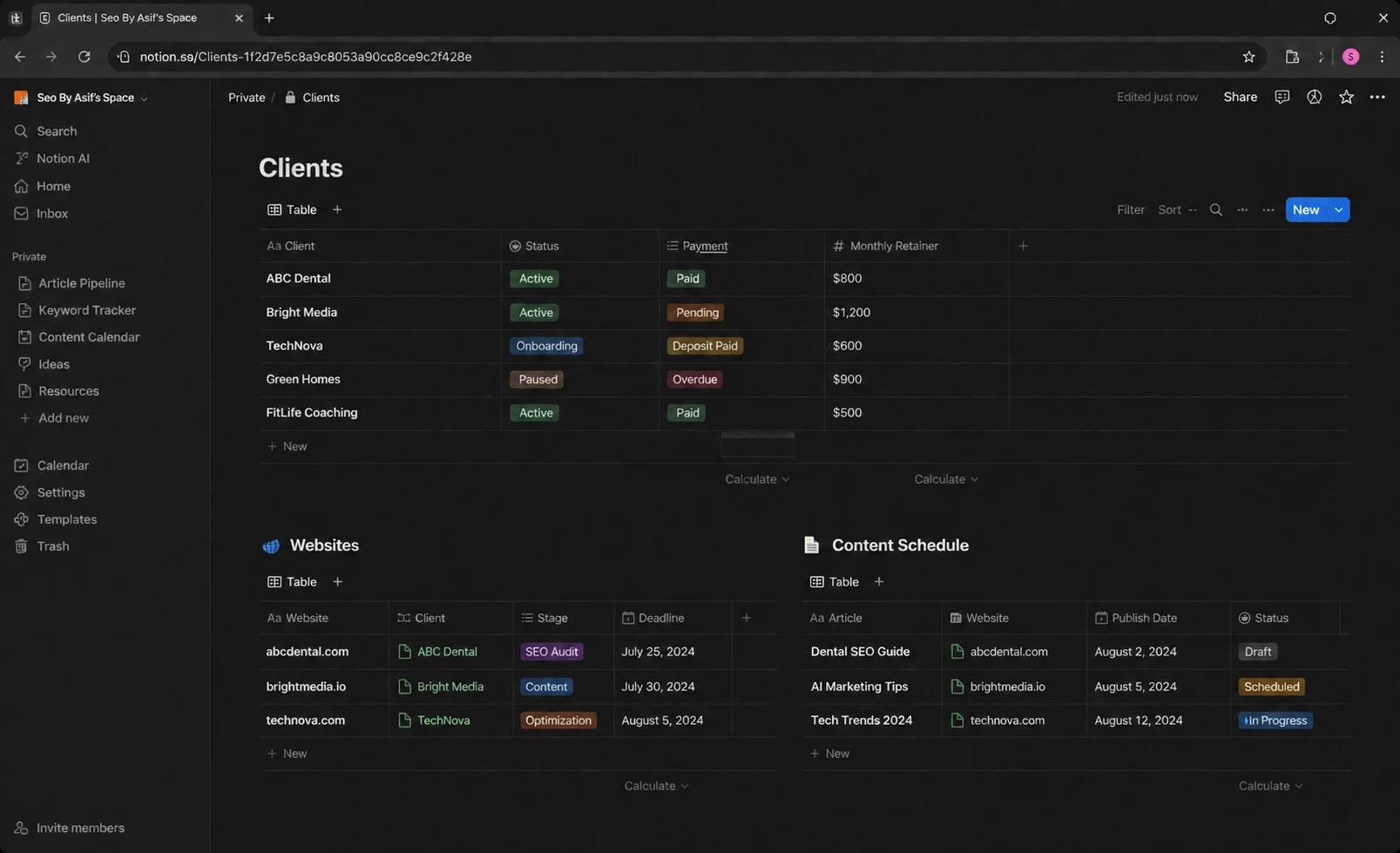
I run SEO for clients, so I needed one place that answered three questions at a glance: who's a client, what's the status of their site work, and what's scheduled next. I built a single Notion workspace with linked databases:
- Clients — client name, status (active / paused / onboarding / churned), payment status, and monthly retainer
- Websites — each client's site, current project stage, and deadline, linked back to the Clients database with a relation
- Content schedule — planned articles and backlinks per site, with dates, linked to Websites
The point of the relations was the dream Notion sells you: click a client, see their site, see everything scheduled for it, all connected. And for a while, it delivered exactly that.
How long it actually worked
Here's the honest part most tutorials skip: at my scale, Notion was genuinely good. With 5–6 clients, a handful of linked sites, and a content schedule per site, everything loaded fast, the relations felt magical, and I could open the workspace on my phone between meetings. For a solo operator or a small freelance load, I'd still recommend it today.
The problem wasn't day one. It was month three.
What broke
As the client list and — more importantly — the number of linked rows grew, the cracks showed up in a specific order:
The load lag. Once the databases pushed past roughly 20–30 rows each, opening a view stopped being instant. Scrolling a filtered table had a visible beat of lag. On a single database that's annoying; on my setup it compounded, because the pages I actually used were the linked ones.
Relations and rollups made it worse, not better. The exact feature that made Notion feel powerful — cross-referencing Clients ↔ Websites ↔ Content — is what slowed it down. Every rollup (like "total scheduled articles for this client") has to reach across databases and recompute. A few are fine. A web of them, on a page you open twenty times a day, is not.
Collaboration hit a wall. When I tried to bring anyone else in, the free plan's block and guest limits closed in fast — it's not built to run a shared operational backend for long. And when two of us edited at once, or when I opened it offline and it tried to sync later, I'd get conflicts and stale states.
Why paying more didn't fix it
This is the part I wish someone had told me before I considered upgrading. My first instinct was: the free plan is the problem, I'll just pay for Plus or Business.
It's the wrong instinct. The plan tier fixes limits — more blocks, more guests, more file storage. It does not fix architecture. Notion was built as a wiki-and-docs tool with database features bolted on, not as a database-first backend. So the row-count lag, the relation/rollup slowdown, and the multi-editor friction don't disappear on a paid plan — they're baked into how the thing is designed. I'd have been paying monthly to keep the exact same wall.
That's the contrarian take almost no "Notion CRM" tutorial will say out loud: for a heavy, relational, multi-user client backend, more money doesn't buy you out of Notion's ceiling.
Tools I looked at instead (and why I rejected most of them)
Before I moved, I didn't just grab the first alternative. Here's what I weighed and what I did with each:
- ClickUp — genuinely more capable as a real project/database tool, and it wouldn't hit Notion's wall the same way. I rejected it for my use because it's heavier to set up and learn than my problem justified. For a full agency with a team, I'd reconsider it. For a solo SEO tracker, it was overkill.
- Airtable — the "right" database answer on paper, and better than Notion at pure relational data. I passed because for my specific need it added another tool and cost without enough upside over the option I landed on.
- A dedicated CRM — same reasoning: too much machinery for tracking a modest client list and a content schedule.
- Google Sheets — what I actually moved to.
Where I moved: Google Sheets
I shifted my client tracking to Google Sheets. It's not glamorous, and I'll be honest about the trade-off: I lost the pretty linked-relation views Notion gave me. But I gained the two things that were actually breaking — speed and painless multi-user editing. Sheets doesn't lag at a few hundred rows, real-time collaboration just works, and everyone already knows how to use it.
For a database that's mostly rows of client and schedule data with a few lookups, a spreadsheet is the honest fit. I was using Notion's document-tool strengths for a job that was really a spreadsheet job.
So should you build a client tracker in Notion?
Here's my straight verdict — buy/skip by who you are:
- Build it in Notion if: you're solo or a small freelance operation, tracking roughly 5–15 clients, mostly working alone. At this scale Notion is genuinely great and the relations are worth it. Don't overthink it.
- Skip Notion (or plan to leave) if: you expect to grow past ~20–30 linked rows, need several people editing a shared operational backend, or work offline a lot. Upgrading won't save you — move to a real database tool (ClickUp/Airtable) or, if your data is mostly flat, Google Sheets.
- Don't do what I did: don't build a heavy relational web first and discover the wall in month three. Decide up front whether you're small-and-staying-small or growing — and pick the tool for where you're headed, not where you are today.
Who should skip this entirely
If you already run a team of more than a couple of people editing client data daily, don't start in Notion at all. You'll build something lovely, get attached to it, and then pay for a migration in time and frustration. Start in the tool that survives your scale.
Can Notion work as a CRM?
Why does my Notion database get slow?
Does the paid Notion plan fix the slowdown?
What's a good Notion alternative for client tracking?
How many clients can Notion handle before it slows down?
Before you build anything, check if it'll get cited
If you're writing tutorials or client-facing content like this, run it through my free GEO Checker first — it scores your content across 22 signals for whether AI search engines will actually cite it. I built it because my own posts were getting eaten by AI Overviews, and it's the same tool I ran this article through.
Bottom Line
Great for a small client list, but not a database-first backend. Past ~20-30 linked rows it slows down, and paid plans don't fix it because the limitation is architectural. Build in Notion if you're solo and small; plan to move to ClickUp, Airtable, or Google Sheets if you're growing or working as a team.

Written by
Asif IqbalSenior Writer
Asif Iqbal is the Founder & CEO of Tech Vault AI, leading the team's hands-on testing of AI tools and SaaS products & Tech reviews. He's focused on cutting through marketing hype to help readers find what actually works.
The Notion Database I Built to Track Clients (And What Broke) reviews
Loading reviews...
Questions & Answers
Loading questions...
📬 Get the Latest Reviews in Your Inbox
Once a week — AI tools, SaaS & gadget reviews delivered straight to your email.