Notion Review 2026: I Ran It Daily for a Week — Here's What the Pricing

I almost didn't renew my Notion workspace this year. Not because it stopped working — because I genuinely couldn't remember the last time I opened it without a small flash of dread about which database I'd left half-organized. So instead of writing another "Notion is great for productivity" roundup, I gave it seven straight days of real, daily use across three different jobs it's supposed to be good at: a content calendar for Tech Vault AI, a personal task list, and a shared project tracker with a client. This is what actually happened.
How I Actually Structured the Test
Rather than just clicking around a template gallery, I rebuilt three live workflows from scratch: an editorial calendar with 40+ real article entries, a personal GTD-style task system, and a shared client tracker with comments and due dates. Each ran for a full seven days, checked in and out at least twice daily, which is closer to how a real freelancer or small team actually lives inside a tool than a quick 20-minute demo.
The Moment Notion Either Clicks or Doesn't
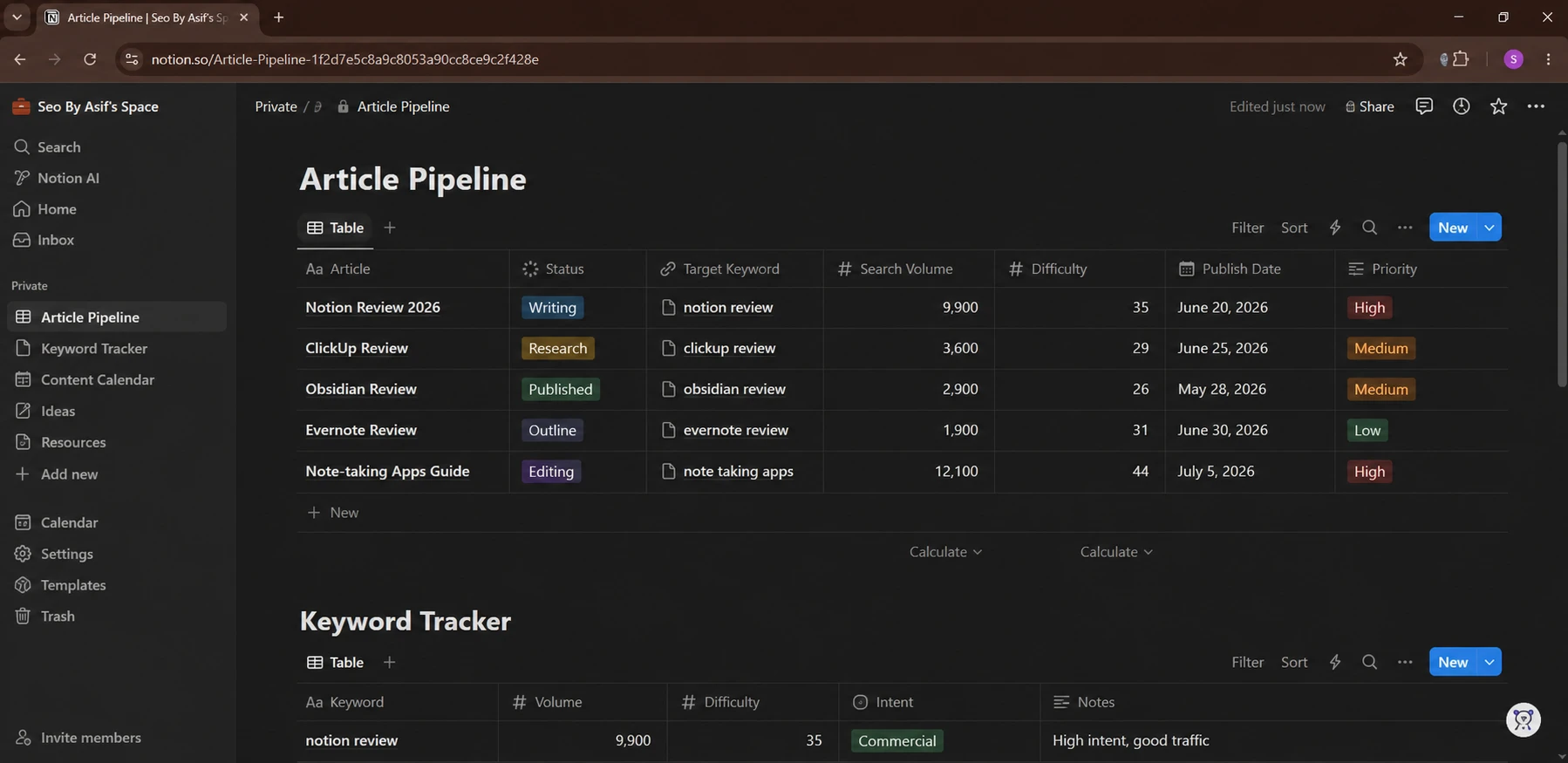
On day two, I tried to build a simple linked database between my article pipeline and my keyword tracker — something I assumed would take five minutes. It took closer to forty, mostly because Notion's relation and rollup properties are powerful but not obvious. I had to undo a rollup twice because I'd pointed it at the wrong property. That's the honest Notion experience: the ceiling is high, but you will hit a confusing wall before you get comfortable, usually around day two or three of real use, not in the first ten minutes with a template.
What Disappointed Me
Search inside a large workspace is still slower than it should be. When my content database crossed roughly 300 entries, searching for a specific article by a partial title took a noticeable beat longer than I'd expect from a tool this mature. I also ran into the well-documented block limit trap: adding a second member to a personal workspace on the Free plan quietly caps you at 1,000 blocks, even though you had unlimited blocks as a solo user seconds earlier. Nothing in the UI warns you clearly before you hit it. On day five, I also noticed the mobile app lagged noticeably when scrolling through a database view with more than a couple hundred rows and several rollup columns — something the desktop app handled without issue.
What Actually Held Up
The thing I didn't expect to like was Notion Sites — publishing a page as a shareable, semi-designed webpage without touching a page builder. I used it to share a project brief with a client instead of exporting a PDF, and it looked more polished than I expected for zero setup time. Templates for the calendar view also saved real time once I stopped fighting the relation properties; by day four, adding a new article to the pipeline and having it auto-populate related keyword data took seconds instead of the forty minutes it cost me on day two.
A Hidden Fact Most Reviews Skip
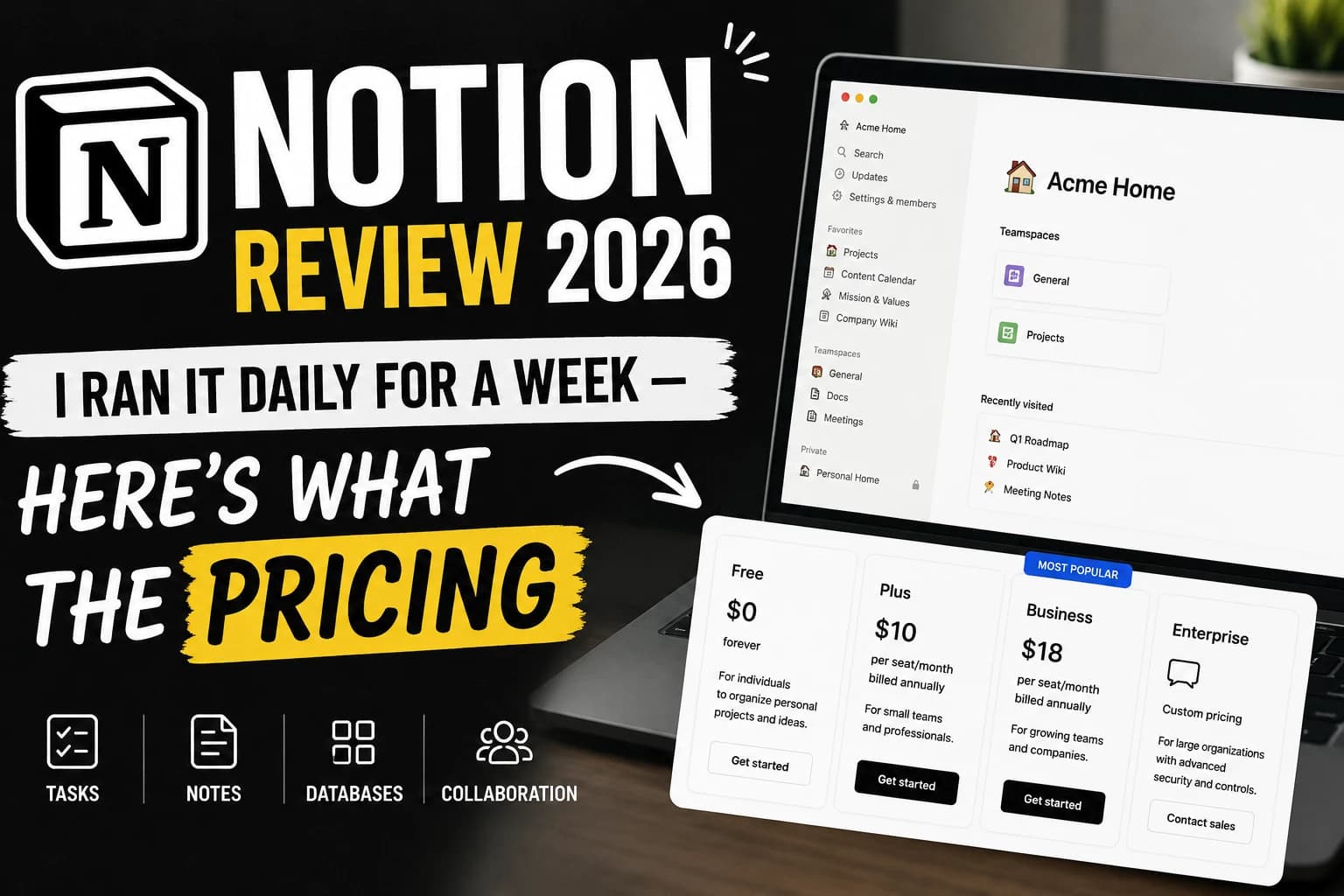
Most comparison articles still quote Notion AI as a $10/month add-on. That changed in 2026 — the standalone AI add-on was folded into the Business plan, so if you're on Free or Plus and never bought the add-on before the change, you can no longer buy AI separately at all. You now have to upgrade the entire workspace to Business ($20/user/month billed annually) to unlock AI Agents and Ask Notion. That's a meaningfully different cost calculation than most 2024-era articles still floating around the web.
External Validation
This isn't just our internal impression — Notion holds a 4.7 out of 5 rating on G2 from thousands of verified reviews, with power users consistently citing the same tension we found: flexibility that's genuinely valuable once mastered, paired with a learning curve reviewers repeatedly flag as steeper than task-first competitors like Trello or Asana.
Notion Pricing in 2026 (Verified)
| Plan | Price (annual billing) | Best for |
|---|---|---|
| Free | $0 | Solo use, 7-day page history, 5MB uploads |
| Plus | $10/member/month | Small teams, unlimited uploads, 30-day history |
| Business | $20/member/month | Teams that need full Notion AI, SSO, private teamspaces |
| Enterprise | Custom | Large orgs needing SCIM, audit logs, unlimited history |
Note: monthly billing runs roughly 20% higher per seat than annual. Custom AI Agents beyond the included allowance are metered separately at $10 per 1,000 credits.
Notion vs. the Alternatives
| Tool | Entry paid price | Strongest at |
|---|---|---|
| Notion | $10/user/mo | Flexible wikis + databases in one tool |
| ClickUp | ~$7/user/mo | Task management with built-in AI on paid plans |
| Confluence | ~$6/user/mo | Teams already living in Jira |
Of these three, Notion is the only one that genuinely tries to be both a wiki and a database tool at the same time — ClickUp leans task-first with docs as a secondary feature, and Confluence leans documentation-first with almost no database flexibility at all. If your team already lives in Jira, Confluence's tight integration usually outweighs anything Notion offers. If your team's core need is a punch list of tasks, ClickUp's lower entry price and built-in automation likely wins on pure value.
Tools I Tried But Rejected for This Workflow
Before settling back into Notion for the content calendar, I tried rebuilding the same system in Airtable and in a plain Google Sheet. Airtable's relational views were faster for pure data work but felt clunky for writing long-form notes next to records. The Google Sheet was instant to set up but fell apart the moment I needed to attach research notes to individual articles. Notion won on balance, not because it's the best at any one thing, but because it's the least bad at doing three things in the same place.
Who Should Skip Notion
If your only need is task tracking for a small sales team and you don't care about wikis or docs, Notion is arguably overkill — a dedicated CRM or a lighter tool like Trello will get you there faster with less setup time. Teams that need heavy native scheduling or calendar-first planning will also hit a wall, since Notion still doesn't handle time-blocking natively.
My Honestly Contrarian Take
Everyone credits Notion's flexibility as its biggest strength. After a week of real use, I'd argue it's also the product's biggest liability for smaller teams — the same flexibility that lets power users build elaborate systems is exactly what makes onboarding a new hire painfully slow. A rigid tool with fewer options gets a new team member productive in an afternoon. Notion regularly takes a full week before someone stops asking "wait, where do I put this?"
Setup Time and Onboarding Reality
Timing myself honestly: a blank workspace to a usable personal task list took about 20 minutes, comparable to most competitors. But getting the shared client tracker to a state I'd actually hand to someone else — with the right permissions, a clean view for the client, and comments working the way I wanted — took closer to two hours spread across day one and two. If you're billing a client for setup time or budgeting your own hours, plan for that gap between "looks done" and "is actually ready to share" rather than assuming the fast initial setup represents the whole onboarding cost.
Where to Read More on Tech Vault AI
If you're comparing Notion against other options in this same category, our AI Answer-Readiness Score tool can help you check whether your own team's documentation and content are structured well enough for AI search engines to surface, regardless of which workspace tool you land on. We've also covered similar per-seat pricing traps in our ClickUp review, which is worth reading side-by-side with this one if task management is your main priority over docs and wikis.
Last updated: July 2026. Pricing verified directly against Notion's published plans at time of writing and may change — always confirm current rates on Notion's pricing page before purchasing.

Written by
Asif IqbalSenior Writer
Asif Iqbal is the Founder & CEO of Tech Vault AI, leading the team's hands-on testing of AI tools and SaaS products & Tech reviews. He's focused on cutting through marketing hype to help readers find what actually works.
📬 Get the Latest Reviews in Your Inbox
Once a week — AI tools, SaaS & gadget reviews delivered straight to your email.