Is Notion Free? I Used It 6 Months — Here's When You Pay

Pros
- Unlimited blocks on the free plan for solo users, with no expiry
- Genuinely all-in-one — notes, databases, wikis and project tracking in one place
- Excellent desktop performance
- Up to 10 guests free, enough for early client work
- Huge template and community ecosystem
Cons
- 5MB file upload cap on free breaks real project work fast
- Only 7-day page history on free — deletions become unrecoverable
- Mobile app lags on sync and load, and paying does not fix it
- Full Notion AI now requires the Business tier
- Overkill for quick note capture
Yes, Notion's free plan is genuinely free, and for one person it stays usable forever. There is no trial clock, no forced upgrade, and you get unlimited blocks as a solo user. You hit the wall somewhere else entirely: the 5MB cap on file uploads.
I know exactly when I hit it, because it stopped an urgent client project in the middle of a workday.
The day my free plan broke
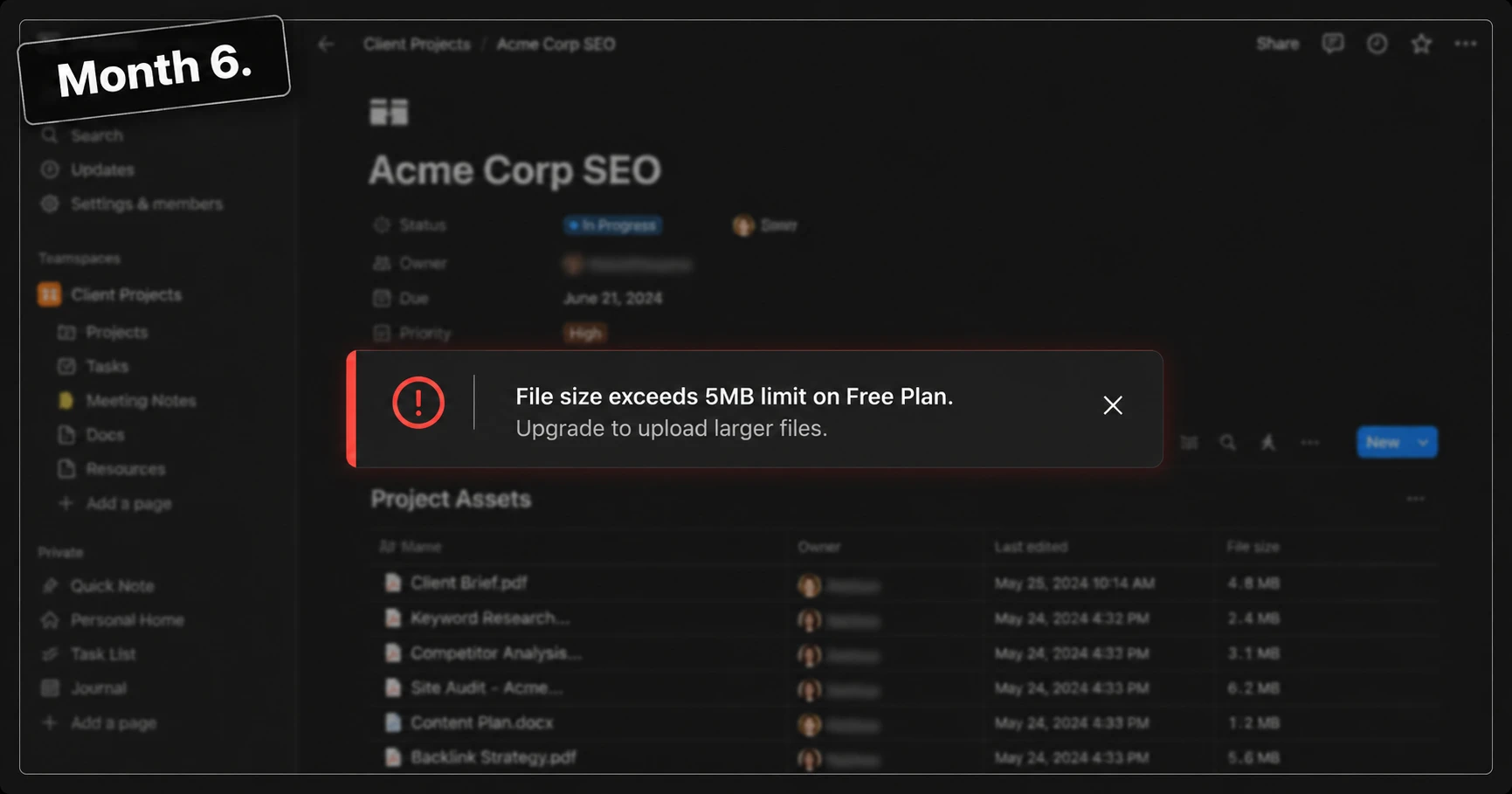
I was building out a documentation and team-relations hub for a client project that was already behind schedule. Every piece was in Notion: the scope doc, the task database, the shared page each team member was supposed to work from. Then I dragged in a 5MB design asset, a packaged PDF the team needed to actually do their work.
File size exceeds 5MB limit on Free Plan
That was the whole message. The upload just stopped, and so did the workflow, because a documentation hub without the document is not a documentation hub. Everyone was waiting on a file that would not go in.
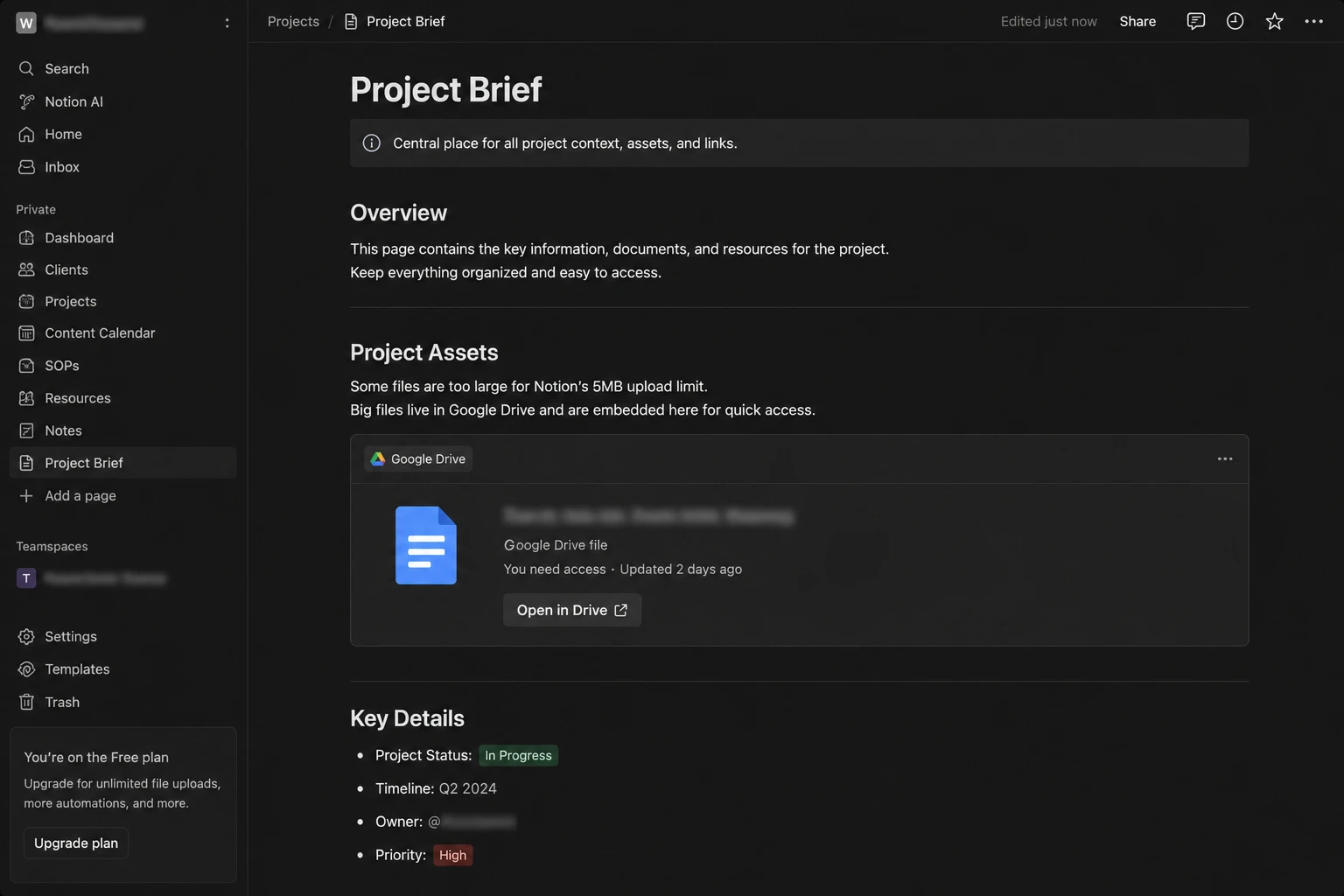
I ended up uploading it to Google Drive and embedding the link in the Notion page. It worked. The team unblocked, the deadline survived. But something about Notion broke that day, and it was not a feature. It was the promise. The entire reason I moved into Notion was to stop scattering work across five tools. Now my "all-in-one workspace" had a Google Drive dependency stapled to the side of it.
That is the honest version of when you need to pay for Notion. Not when you run out of pages. When the all-in-one story stops being true.
Is Notion really free forever?
Yes, with one clarification that trips people up.
For a single user, the free plan gives you unlimited blocks. Notion removed the old 1,000-block cap for personal use back in 2022, so you can write, build databases, and stack up pages for years without paying anything. I have been on it for six months of daily use and I have never seen a block warning.
The 1,000-block limit still exists, but only in one situation: when you add other members to a workspace on the free plan. At that point the workspace gets a trial-sized block allowance, and that is the point where a small team is nudged toward Plus.
So the accurate framing is this. Notion free is a permanent personal plan and a temporary team plan.
What are the actual limits of Notion's free plan?
These are the four that mattered in real use, ranked by how often they actually got in my way.
5MB file upload limit. This is the one that will end your free plan, and it arrives faster than you think in 2026. A single high-resolution screenshot can clear 5MB. A prototype export, a design asset, a client-ready PDF, a short screen recording — all of it is over the line before you have done anything unusual. This limit was set for a different era of file sizes and it shows.
7-day page history. On free, your version history window is seven days. If someone on your team deletes a database property on a Monday and you notice it three weeks later, it is gone. Plus extends this to 30 days, and this is the single most underrated reason small teams upgrade.
10 guests. Free tops out at 10 guests. If you work with clients and give each one a shared page, you will count to ten faster than you expect. Plus raises this considerably.
Mobile sync lag. This one is not on any pricing page because it is not a plan limit, it is just how the app behaves, and paying does not fix it. More on that below, because it deserves its own honesty.
The thing that disappointed me most is not fixed by upgrading
Notion on desktop is excellent. Fast, stable, genuinely pleasant to work in.
Notion on mobile is a different product. Open a page while you are out and it can sit there loading. Try to jot a quick note offline and sync catches up whenever it feels like it. There have been moments where I opened the app specifically because an idea was about to escape, and I lost the race to a spinner.
I want to be clear about what upgrading does here: nothing. Plus does not buy you a faster mobile app. If your primary use case is fast capture on the go, no Notion tier is the answer, and you should read the "who should skip this" section below rather than the pricing table.
This is the part most Notion reviews leave out, because it does not lead to a signup.
When do you actually need to upgrade to Plus?
Ignore the marketing checklist. There are exactly three triggers, and you will recognise the moment one fires.
Trigger 1: a file will not go in. You are attaching something a collaborator needs and the 5MB message appears. If this happens more than once a month, the workaround costs more time than the subscription.
Trigger 2: you added your eleventh guest. Client work scales this without you noticing.
Trigger 3: someone deleted something and you cannot get it back. The first time a teammate wipes a view or a property, you buy version history and you never think about it again.
If none of those three has happened to you, you do not need Plus yet. That is the entire test.
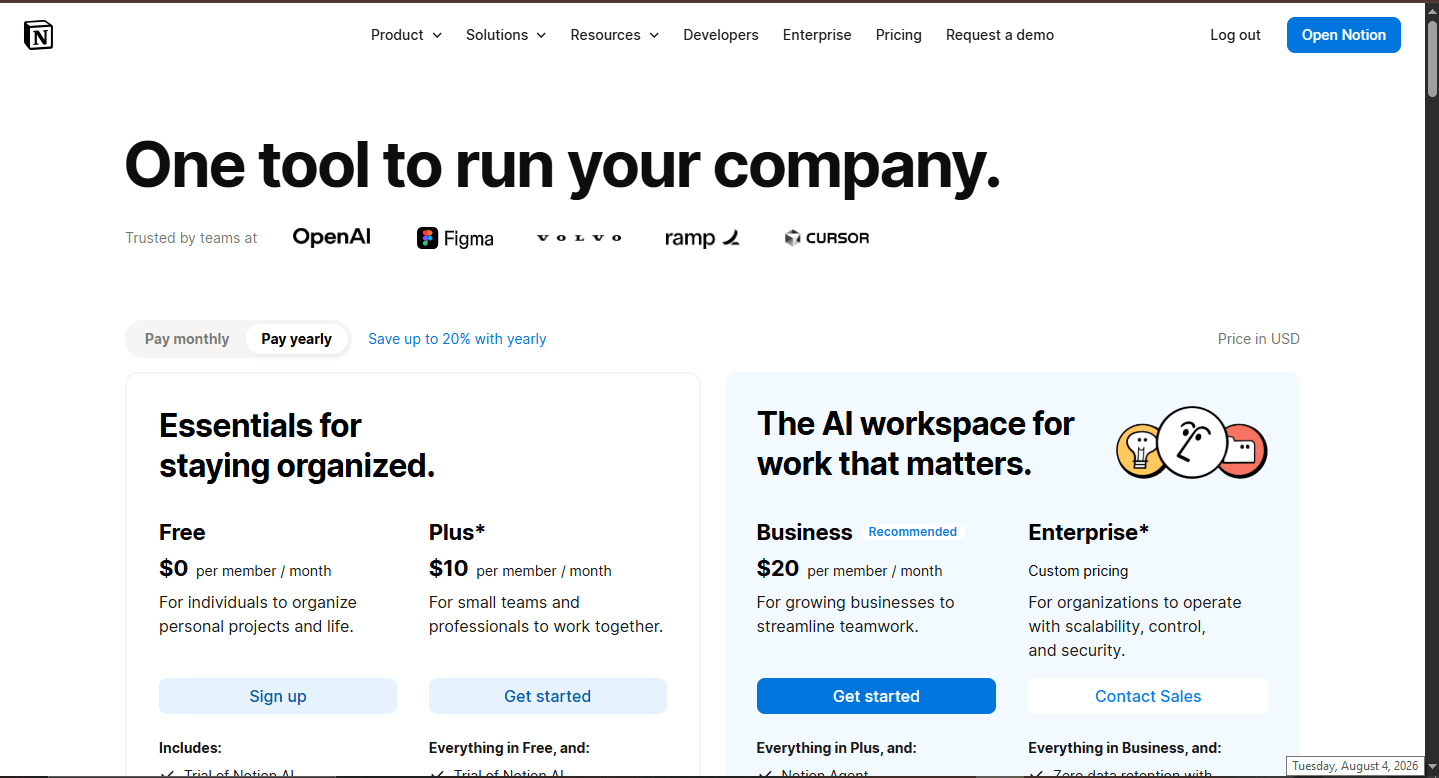
Free vs Plus vs Business: what actually changes
| Free | Plus | Business | |
|---|---|---|---|
| Best for | One person | Small teams, freelancers with clients | Companies needing security controls |
| Blocks | Unlimited (solo) | Unlimited | Unlimited |
| File uploads | 5MB cap | Unlimited | Unlimited |
| Page history | 7 days | 30 days | 90 days |
| Guests | 10 | 100 | 250 |
| SAML SSO | No | No | Yes |
| Private teamspaces | No | No | Yes |
For the full tier-by-tier breakdown including add-ons and annual versus monthly maths, I went deeper in my Notion Pricing 2026 guide — this article is about the decision, that one is the reference.
Who should stay free, who should pay, who should skip Notion
Stay on free if you are a student, a personal note-taker, or someone running to-do lists and light databases for yourself. One user, unlimited blocks, no expiry. You can run this setup for years and never have a reason to pay. If you are a student specifically, check my Notion setup guide for students before you build anything, because the structure you start with determines whether you ever outgrow free at all.
Pay for Plus if you are a freelancer or small team working with multiple clients or guests, or if you handle real files. The two things you are actually buying are the removal of the 5MB cap and 30-day version history, which is your insurance policy against a teammate deleting something at the wrong moment.
Pay for Business or Enterprise if your company needs SAML SSO, private teamspaces, and privacy controls at scale. If you do not know whether you need SSO, you do not need it.
Skip Notion entirely if what you actually want is fast text capture, or if you work offline a lot. Apple Notes and Google Keep open instantly and never make you wait for a sync. Obsidian is local-first and genuinely fast. Notion is overkill for note-taking and it is at its weakest exactly where those tools are strongest.
Tools I tried before settling on Notion
I did not land on Notion by default. Each of these was a serious candidate and each got rejected for a specific reason.
Obsidian — offline-first and private, which is exactly what Notion is not. I liked it. But real-time collaboration with a team is awkward enough that it stopped being an option the moment client work entered the picture.
Coda — the database and formula engine is genuinely more powerful than Notion's. The problem is everything around it. For documentation and quick note-taking the interface feels heavy, and I kept thinking about the tool instead of the work.
Anytype — local-first and secure, and philosophically closer to what I want long-term. The ecosystem is not mature yet. Fewer integrations, fewer templates, a smaller community to search when you are stuck at 11pm.
Google Docs — still the best place to brainstorm or write something long. But there is no way to build a structured database or a workflow, so it can hold a document and nothing else.
If you want the full comparison with pricing on each, I broke them all down in Best Notion Alternatives 2026.
The contrarian part
Most Notion content is written to move you toward Plus. Here is the opposite argument, and I think it is the more honest one for most readers.
Most solopreneurs do not need to upgrade. The pricing page is designed to make unlimited file uploads feel essential, but if you are one person writing notes and running databases, you will genuinely never touch that ceiling. Six months of daily use, one wall, and it was a team file — not a personal one.
But there is a second edge to this that nobody mentions. The longer you stay free, the more expensive leaving becomes. Everything you build in Notion is built in Notion's shape, and after six months the migration cost is no longer measured in export files, it is measured in rebuilt workflows. That is not an argument for upgrading. It is an argument for deciding early whether Notion is your long-term home, because the free plan is not the risk — the accumulation is.
What I would tell you if you asked me over coffee
Start free. Do not pre-pay for a limit you have not hit.
Then watch for one thing: the first time a workaround appears in your workflow. For me it was a Google Drive link sitting inside a Notion page, quietly announcing that the all-in-one workspace was no longer all-in-one. That workaround is the real upgrade signal, not any number on the pricing page.
When you see yours, upgrade. Until then, the free plan is not a trial. It is a plan.
Does Notion's free plan expire?
How many people can I add to Notion for free?
What happens to my data if I do not upgrade?
Is there a student discount for Notion?
Bottom Line
Notion's free plan is not a trial, it's a plan — and for one person it holds up indefinitely. The 5MB upload cap is where it ends, and that only bites when you start sharing real files with a team. Upgrade when a workaround appears in your workflow, not before.

Written by
Asif IqbalSenior Writer
Asif Iqbal is the Founder & CEO of Tech Vault AI, leading the team's hands-on testing of AI tools and SaaS products & Tech reviews. He's focused on cutting through marketing hype to help readers find what actually works.
Is Notion Free? I Used It 6 Months — Here's When You Pay reviews
Loading reviews...
Questions & Answers
Loading questions...
📬 Get the Latest Reviews in Your Inbox
Once a week — AI tools, SaaS & gadget reviews delivered straight to your email.