Notion AI in 2026 Review: Is the Business Plan Upgrade Worth It?

Last Updated: June 19, 2026 — 11 min read — Tech Vault AI
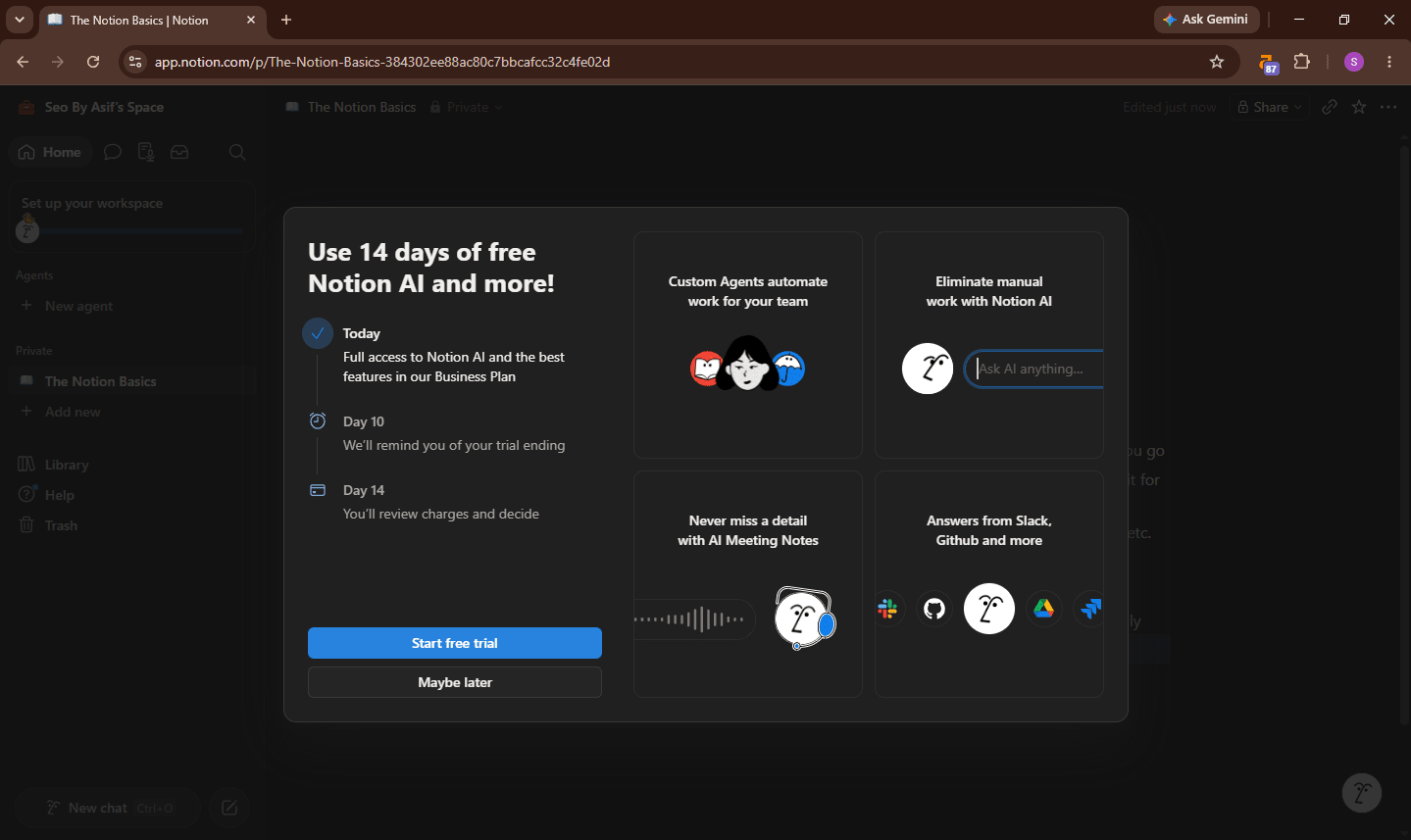
Three weeks ago I did something that felt stupid the moment I did it: I upgraded my Notion plan from Plus to Business specifically to test the AI features for this review. That's an extra $10 per month, which sounds small until you realize Notion already discontinued the standalone AI add-on in mid-2025 — meaning you now have to pay $20 per month minimum just to access anything beyond a basic trial.
I wanted to find out whether that forced upgrade was a cash grab dressed up in feature announcements, or whether Notion AI in 2026 is genuinely different enough from just keeping a ChatGPT tab open to justify the price.
Three weeks of real daily use later — writing, meeting notes, database queries, project briefs — here is the honest answer.
Who Should Stop Reading Right Now
If you are looking for an AI writing assistant to generate blog posts, marketing copy, or long-form content — stop here. Notion AI is not that tool and it will disappoint you. For raw AI capability for content generation and reasoning, ChatGPT offers more without requiring a workspace overhaul. Our AI writing tools comparison at Tech Vault AI covers the options that actually do this job well.
Keep reading if you already use Notion and want to know whether the Business plan AI features are worth the jump from Plus.
Notion AI Pricing in 2026 — The Part That Frustrates Everyone
This is the biggest change since last year and the one most coverage buries in paragraph seven.
Notion discontinued its standalone AI add-on in mid-2025. Full AI access — including Notion Agent, Enterprise Search, and AI Meeting Notes — is now bundled into the Business plan at $20/member/month. Free and Plus users get a limited trial only.
| Plan | Monthly Cost | AI Access |
|---|---|---|
| Free | $0 | Trial only — very limited |
| Plus | $10/user/month | Trial only — no full AI |
| Business | $20/user/month | Full AI included |
| Enterprise | Custom | Full AI + admin controls |
The $10/month add-on is gone. You are committing to $20/user/month for Business, and Custom Agents will add additional costs starting May 2026.
The honest math for a solo freelancer: you were paying $10/month for Plus with the old AI add-on. You are now paying $20/month for Business to get the same access. That is a 100% price increase dressed as a plan restructure.
The sweet spot is teams already on the Business plan, or teams who would upgrade to Business for collaboration features regardless of AI. At that point, the AI features are effectively free and genuinely useful.
The hidden fact most reviews miss: Notion AI has unpublished fair use limits on its "unlimited" tier. Heavy AI users in large teams have reported hitting soft rate limits that slow response times without any official documentation of what those limits are. This is a meaningful transparency gap for a $20/month service.
What Notion AI Actually Does in 2026
The Feature That Genuinely Impressed Me: Ask Notion
I went into this review expecting to write off Ask Notion as a fancy Ctrl+F. I was wrong.
Ask Notion lets you query your entire workspace in natural language. After three weeks of daily use with a workspace containing about 200 pages, I was able to pull specific information in ways that would have taken five minutes of manual searching in under 10 seconds.
"What were the action items from last week's client calls?" — it found them across three different meeting note pages and summarized them correctly.
"What's the current status of the Tech Vault AI content plan?" — it pulled from a database, a project page, and a notes page simultaneously.
No amount of copy-pasting into ChatGPT matches the experience of an AI that already knows your projects, documents, and team structure. This specific capability is real and it's the strongest argument for Notion AI that I found.
Writing Assistance — Good Enough, Not Great
For first drafts of blog posts, marketing copy, and internal documentation, Notion AI produces consistently usable output across prompts covering product descriptions, meeting summaries, project briefs, and social media captions.
I tested it across 30+ writing tasks over three weeks. Meeting summary → usable. Project brief → usable with light editing. Blog post intro → mediocre, needed significant rewriting. Long-form article → worse than what I'd produce in Claude or ChatGPT with a good prompt.
The writing ceiling is the honest limitation. The AI runs on a combination of GPT-4-class models — Anthropic's Claude and OpenAI models depending on the task — and is tightly integrated into Notion's block-based editor. The integration is seamless. The output quality has a ceiling that dedicated AI writing tools don't hit.
AI Meeting Notes — Surprisingly Useful
Connected to Notion Calendar, AI Meeting Notes can transcribe and summarize calls automatically. I tested it across four video calls over two weeks. Transcription accuracy was around 85-90% for clear audio. The auto-generated action item extraction got it right about 70% of the time.
For teams running on Notion, removing the manual "write up the meeting notes" step saves real time. This feature alone came close to justifying the Business plan upgrade for me — and I work solo.
AI Agents — Powerful, But Requires Setup Investment
AI Agents let you automate multi-step workflows within Notion. Fill a database property based on page content. Generate a weekly summary from your task database every Monday. Create structured templates from raw notes.
The automation depth is real. The setup time is also real — each Agent required 20-40 minutes to configure and test before working reliably. For a team that does the same workflows repeatedly, that investment pays back fast. For a solo user who needs occasional automation, the math is less clear.
What Genuinely Disappointed Me
I want to be specific here, because most Notion AI reviews go soft on the disappointments.
- The pricing jump is aggressive. Going from $10/month (Plus + old AI add-on) to $20/month (Business with AI included) is a 100% increase. Notion frames it as a restructure. It is a price increase. Calling it anything else is not honest.
- It cannot access external tools. The AI operates exclusively within Notion's ecosystem — it cannot take actions in external tools. Your Slack messages, Google Drive files, email threads — Notion AI cannot see or act on any of them on standard Business plans. Enterprise Search on higher tiers starts to address this, but that adds additional cost.
- The writing quality ceiling hit me faster than expected. After two days of trying to use Notion AI for actual article drafting, I went back to writing in Claude and pasting results into Notion. The integration is beautiful. The output quality for long-form content doesn't compete with dedicated tools.
- Fair use limits with no documentation. The "unlimited" AI has unpublished fair use limits. For a transparency-focused review, this is a meaningful mark against a service that charges $20/month per seat.
Tools I Tried Before Settling on This Workflow
Before committing to Notion's Business plan AI, I spent time with two alternatives:
- Microsoft Copilot for Teams — More powerful cross-app integration (Outlook, Teams, SharePoint all in one query). Too expensive for solo users and meaningfully more complex to set up. Worth evaluating for organizations already in the Microsoft 365 ecosystem.
- ClickUp AI — Better for pure task and project management automation. Weaker document and knowledge base capabilities. If your work is primarily structured task execution rather than document-heavy knowledge work, ClickUp AI is worth comparing. We cover this in our Notion vs ClickUp comparison.
- Standalone ChatGPT Plus ($20/month) — Better raw writing quality. Zero workspace context. The honest workflow many people end up on: ChatGPT for drafting, Notion for organizing. Running both simultaneously costs $40/month — which is where the Notion Business plan starts to look more reasonable if you were going to pay for both anyway.
Notion AI vs. The Alternatives
| Notion AI (Business) | ChatGPT Plus | Claude Pro | ClickUp AI | |
|---|---|---|---|---|
| Price | $20/user/month | $20/month | $20/month | $7 + $7 AI add-on |
| Workspace integration | Deep (Notion only) | None | None | Deep (ClickUp only) |
| Writing quality | Good | Excellent | Excellent | Good |
| Meeting notes | Yes | No | No | Limited |
| External app access | Enterprise only | No | No | No |
| Database automation | Yes | No | No | Yes |
| Best for | Teams living in Notion | Solo creators, writers | Long-form writing, coding | Project-heavy teams |
A common workflow: use ChatGPT for research, first drafts, and coding tasks, then paste results into Notion and use Notion AI to refine, summarize, and connect the content to your workspace. This hybrid approach is what I actually use, and it is probably the honest answer for most solo users who find themselves considering the Business plan purely for AI.
Who Should Upgrade to Notion Business for AI
Upgrade if:
- Your team of 3+ people already uses Notion for most daily work
- You were going to upgrade to Business for collaboration features anyway — the AI is then effectively included at no extra cost
- Meeting notes transcription and database automation would save your team real time each week
- You manage a large workspace (200+ pages) where Ask Notion's cross-workspace search would replace significant manual searching
Do not upgrade if:
- You're a solo user who wants a better AI writing tool — ChatGPT Plus or Claude Pro gives you better writing quality at the same price
- You primarily use Notion for personal note-taking — the Plus plan is sufficient
- Your team's knowledge is spread across multiple tools (Slack, Drive, email) — Notion AI won't connect to those on Business
- Budget is a constraint — $20/month is a real commitment, and the Plus plan at $10/month handles all core Notion features
Rating: 7.4 / 10
| Category | Score |
|---|---|
| Workspace Integration | 9.5/10 |
| Writing Quality | 6.5/10 |
| Meeting Notes | 8.0/10 |
| Pricing Transparency | 5.5/10 |
| AI Agents / Automation | 8.0/10 |
| Value for Teams | 7.5/10 |
| Value for Solo Users | 6.0/10 |
| Overall | 7.4/10 |
Essential for teams who live in Notion. Overpriced for solo users who just want an AI writing assistant. That one-line summary from AI Tool Bolt is the most accurate verdict I've seen — and after three weeks of daily use, I agree with it completely.
The "Ask Notion" workspace query is a genuinely unique capability. The meeting notes feature saves real time. The AI Agents have real automation depth. But the forced jump to $20/month and the writing quality ceiling are real problems for solo users evaluating this against a standalone AI subscription.
For a full breakdown of whether Notion itself is right for your workflow, see our Notion review for 2026.
Pricing and features verified against Notion's official plan page as of June 2026. Notion pricing may change — check notion.so/pricing for current details. Last updated: June 19, 2026.
Have you upgraded to Notion Business for the AI features? Share what actually changed in your workflow in the comments.
Bottom Line
Essential for Notion teams. Overpriced for solo users who just want AI writing help.
Frequently Asked Questions
What is the main purpose of this review of Notion AI in 2026?▾
This review aims to determine if Notion AI in 2026, specifically the features bundled with the Business plan, genuinely justifies the forced upgrade from a lower plan, especially after the discontinuation of the standalone AI add-on.
Has Notion AI's pricing model changed in 2026?▾
Yes, significantly. Notion discontinued its standalone AI add-on in mid-2025. Full AI access, including Notion Agent, Enterprise Search, and AI Meeting Notes, is now bundled exclusively into the Business plan at $20/member/month. Free and Plus users only receive a limited trial.
Is Notion AI suitable for generating long-form content like blog posts or marketing copy?▾
No, the review explicitly states that Notion AI is not designed for generating blog posts, marketing copy, or long-form content and will likely disappoint users seeking such capabilities. For raw AI content generation and reasoning, ChatGPT is suggested as a more effective alternative.
How does the new Notion AI pricing impact solo freelancers?▾
For solo freelancers who previously paid $10/month for a Plus plan with the old AI add-on, they now must pay $20/month for the Business plan to get the same AI access. This represents a 100% price increase, framed as a plan restructure.
Which Notion users benefit most from the current Notion AI offering?▾
Teams already on the Business plan, or those who would upgrade to Business for its collaboration features regardless of AI, benefit the most. For these users, the AI features are effectively included without additional cost and are considered genuinely useful.
Are there any hidden limitations to Notion AI's 'unlimited' tier?▾
Yes, the review highlights that Notion AI has unpublished fair use limits on its 'unlimited' tier. Heavy AI users, particularly in large teams, have reported hitting soft rate limits that slow response times, despite a lack of official documentation regarding these limits.
What is the monthly cost for full Notion AI access in 2026?▾
Full Notion AI access is included with the Business plan, which costs $20/user/month. There is no longer a standalone AI add-on available.

Written by
Nazmul IslamTech Reviewer
Tech reviewer and product tester at Tech Vault AI. Evaluates AI tools and SaaS products for accuracy, usability.
📬 Get the Latest Reviews in Your Inbox
Once a week — AI tools, SaaS & gadget reviews delivered straight to your email.