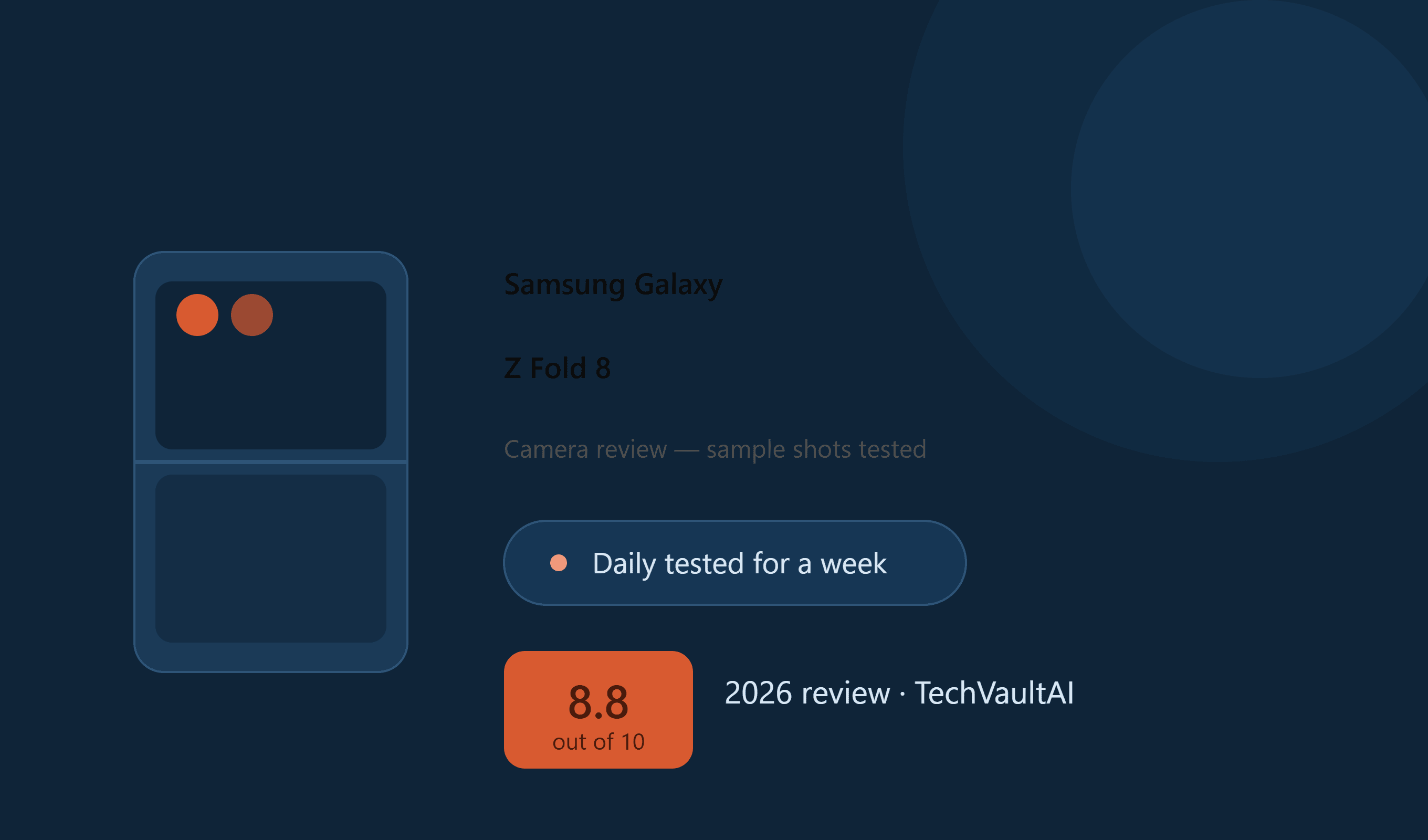
Samsung Galaxy Z Fold 8 Camera Review: Sample Shots Tested (2026)

Pros
- Consistent 50MP main + 50MP ultrawide, smooth colors across lenses
- Cover screen doubles as a high-quality selfie viewfinder (beats the inner camera)
- Strong video toolkit — 8K/30fps, 4K/120fps, APV Log, Horizontal Lock, Flex Mode for tripod-free shooting
- Large unfolded screen makes on-device editing genuinely usable
- Full-day battery life even with heavy camera/video use
- 7 years of OS/security updates promised (Android 17, One UI 9)
Cons
- No dedicated telephoto lens — digital zoom past 4x gets noisy/pixelated
- Low-light performance drops noticeably with any motion
- Inner selfie camera is weak, washed-out
- IP48 rating lower than expected for a flagship at this price — dust risk especially
If you've been staring at the Z Fold 8's spec sheet wondering whether the camera can actually keep up with a $1,900 price tag, the short answer is: it's very good for everyday shooting and editing, but skip it if zoom is your priority — there's no dedicated telephoto lens here.
I'll admit I got a little too excited unboxing this one. A phone this wide, that folds down to something the size of a passport — I wasn't expecting much from the camera side, I was mostly there for the screen. But the first time I played a video on it, the aspect ratio just worked. No black bars, no cropping fight, no weird letterboxing. If you're someone who watches long-form video or reads ebooks and wants the full display doing its job, this thing is genuinely built for you — and that first impression is what got me paying closer attention to everything else, including the cameras.
First Impressions: The Shape Changes How You Shoot
Before I even opened the camera app, the design already changed how I held the phone. Samsung's new short-and-wide, passport-style body means that when it's folded, framing a shot feels different from any Z Fold before it — you get a proper full-screen viewfinder experience instead of a cramped, narrow one. It's a small thing until you're actually out shooting, and then it's the thing you notice most.
This is also Samsung's first foldable to launch on Android 17 out of the box, running One UI 9, with 7 years of OS and security updates promised. Whatever you end up thinking about the camera specifically, this isn't a phone that's going to feel abandoned in two years — and if you want more hands-on angles than just mine, there's no shortage of YouTube teardown and camera comparison videos already up covering this launch.
Beyond the camera specifically, this is very much an all-in-one device — multimedia playback, gaming, content editing, it handles all of it without feeling like any one use case was an afterthought. That matters for a camera review too, because a phone you actually enjoy carrying around all day is a phone you'll actually have on you when something worth shooting happens. A camera that never leaves your pocket beats a "better" one sitting at home.
What I Actually Tested
I've been shooting with the main and ultrawide lenses daily since I got it — everyday stuff, some low-light shots at night, video in Flex Mode, gaming capture, and a handful of selfies using the cover screen as a viewfinder. I also went back and forth against the Samsung Galaxy S26 Ultra vs iPhone 17 Pro Max camera setups I'd already tested, just to keep myself honest about what "good" actually means at this price point. This isn't a phone I used for one afternoon and wrote up — it's been my daily driver camera for over a week now.
Camera Specs at a Glance
| Camera | Details |
|---|---|
| Main | 50MP Samsung ISOCELL GN3 (1/1.56", 1.0µm), f/1.8, OIS |
| Ultrawide | 50MP Sony IMX 858 (1/2.51", 0.7µm), f/1.9 |
| Zoom | Up to 10x digital (no telephoto lens) |
| Inner selfie | 10MP, f/2.2 |
| Cover selfie | 10MP, f/2.2 |
| Max video | 8K @ 30fps (Main, Ultrawide) |
| Also supports | 4K @ 60fps (all-lens switch), 4K @ 120fps (Main, Ultrawide), APV Log (4K @ 120fps), Horizontal Lock (2K @ 60fps), Portrait Video (4K @ 30fps) |
| Gaming capture | Up to 90fps |
The main sensor is the same-generation ISOCELL GN3 Samsung uses on its own S-series, and the ultrawide is a 50MP Sony IMX 858 — pairing two 50MP sensors like this is part of why colors and detail stay consistent when you switch lenses mid-shoot. GSMArena's hardware breakdown confirms this same pairing if you want the full lab-tested photo samples alongside our real-world take.
Photos: Where It Actually Shines
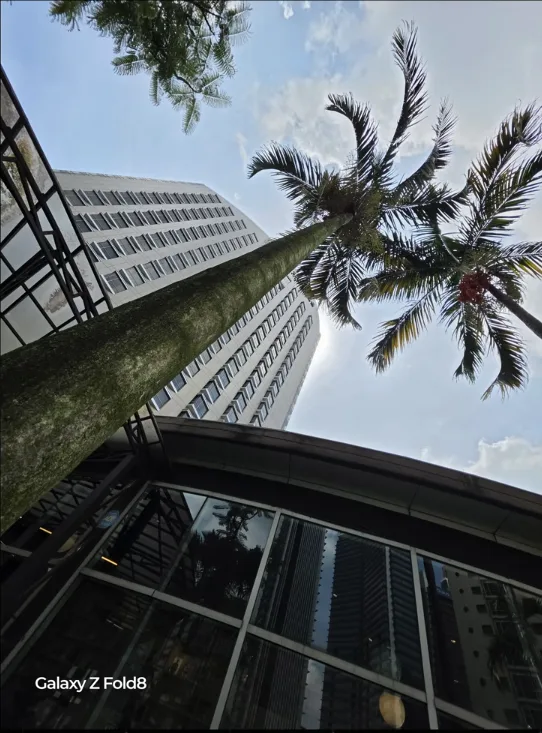
The main and ultrawide both produce a smooth, vibrant look straight out of the camera app — sharp, good detail, colors that don't feel over-processed. Because both lenses sit at 50MP, there's a consistency between them that a lot of multi-camera phones don't manage — switch lenses mid-shoot and the tone doesn't jump around on you. In daylight, the AI-enhanced 4x zoom is genuinely one of the more usable digital zooms I've tried on a foldable; it's not a substitute for real optical zoom, but for a quick 2x–4x crop it holds detail better than I expected.
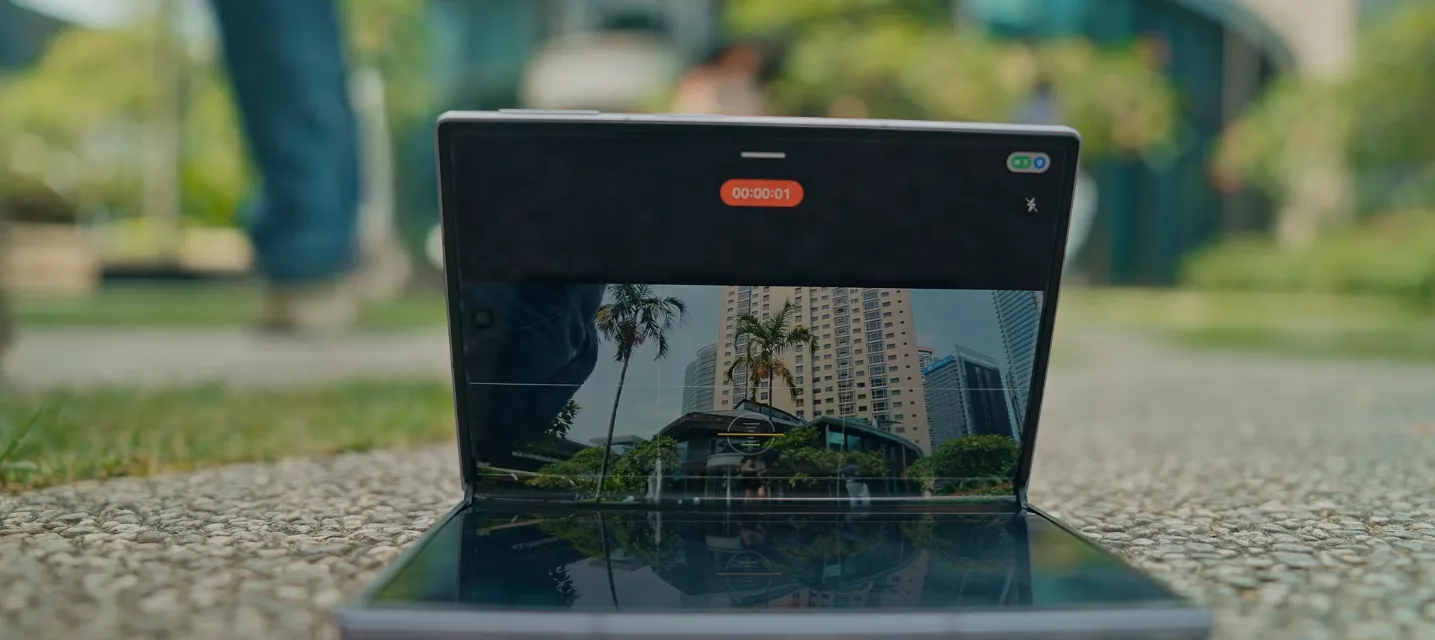
The thing that actually surprised me was using the cover screen as a viewfinder for the rear camera and shooting selfies with it. It sounds like a workaround, but the output quality blows the actual front-facing inner camera out of the water. If you care about selfie quality more than convenience, this is the move — use the back camera, not the inner one, for anything you're actually going to post.
The inner selfie camera, on the other hand, is the one part of this setup that feels like an afterthought. It's washed-out and forgettable next to everything else. I'd genuinely just avoid it unless you have no choice.
Video Is Where This Phone Gets Interesting
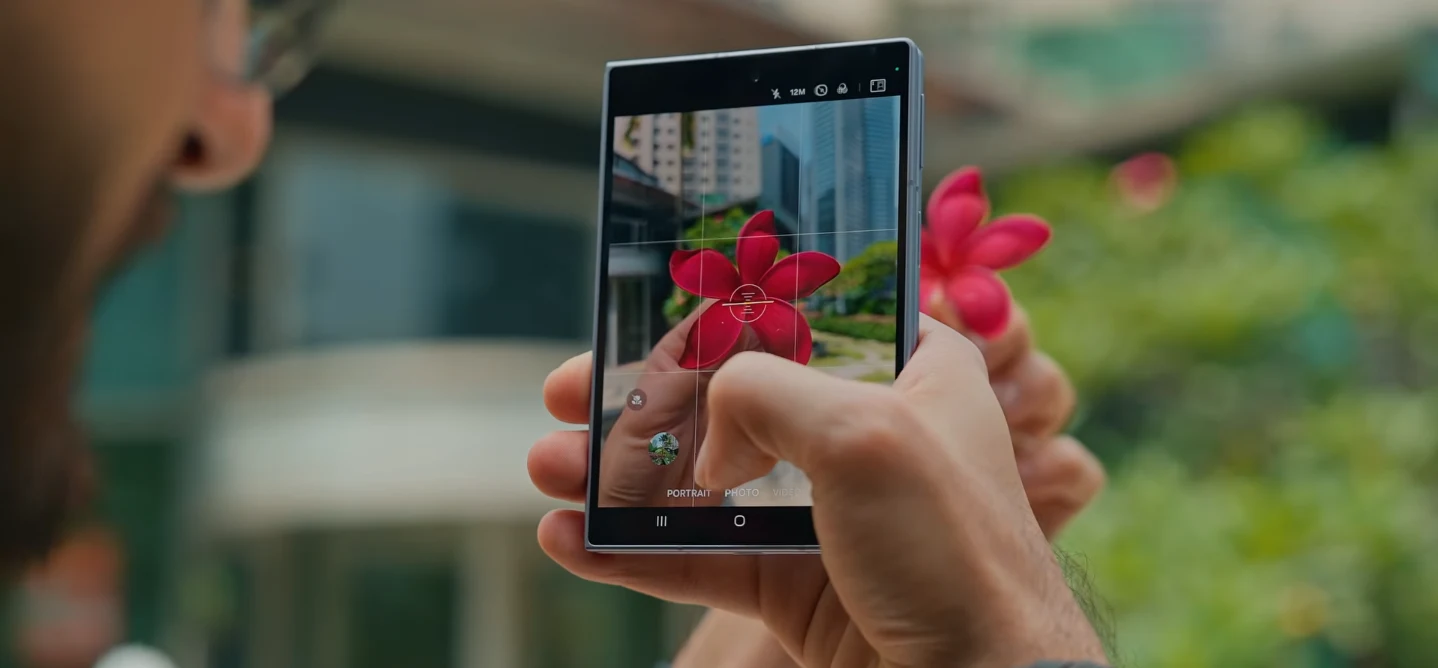
This is the part I didn't expect to care about as much as I do. The Horizontal Lock mode at 2K/60fps is a small feature that solves a real problem — no more vertical video accidents when you're filming handheld and forget to rotate. Combined with Flex Mode — half-folding the phone to prop it up on a table or ledge with zero tripod — you can get genuinely stable timelapses and static shots without carrying extra gear.
On top of that you've got the full ladder: 8K at 30fps on the main and ultrawide, 4K at 60fps with all-lens switching mid-recording, 4K at 120fps for slow motion, APV Log for anyone who actually wants to color-grade footage afterward, and Portrait Video at 4K/30fps for a shallow depth-of-field look without a gimbal. If you're into gaming content, capture goes up to 90fps too, which is more than enough headroom for smooth clips.
Unfold the phone and you get a landscape display big enough to run a real edit — footage on one side, editing panel on the other. Editing in Lightroom or CapCut on this screen doesn't feel like a compromise the way it does on a regular phone; brightness and color accuracy are good enough that you can trust what you're seeing while you cut.
For anyone who wants to go deeper than auto mode: the default codec is H.265 (HEVC), but you can switch to the older H.264 if a client or platform needs it. Samsung also carries over its APV codec from the S26 Ultra — a near-lossless format that produces huge files (expect roughly 1.5GB per minute at 1080p30), so plan to record straight to external storage if you use it. There's 10-bit HDR10+ recording, a Log profile with preloaded LUTs (Standard, Blockbuster, Coming-of-age, Romance, Thriller) for anyone doing real color grading, and a Pro video mode that adds manual focus and exposure control with zebra stripes and false-color exposure aids, plus mic directionality and audio level metering. None of this is beginner-friendly, but it's there if you outgrow the auto settings.
Battery: Enough to Actually Shoot All Day
None of the camera features above matter much if the phone dies by 3pm. In daily use — camera app open on and off throughout the day, some video recording, some editing — it comfortably makes it through a full day. It's not a two-day phone, but for a foldable running a display this big, that's a fair trade, and it's one less thing to worry about if you're out shooting for a few hours at a stretch.
Where It Disappointed Me
I'll be straight about this: the missing telephoto lens is the biggest letdown on a phone at this price. You get AI cropping from 2x to 4x that looks reasonably clean, but push past 4x — let alone to 10x — and it falls apart into pixelated, noisy mush. If you shoot a lot of distant subjects, this isn't your camera.
Low-light is the other soft spot. In good lighting the main sensor is excellent, but the moment the subject moves at night, you'll see blur creep in. It's usable, not standout.
One more thing worth flagging that has nothing to do with the lens itself: the IP48 rating is lower than I'd like on a flagship this expensive. If you're near sand or a beach, be more careful with this one than you'd think you need to be — dust is the actual risk here, not just water.
Cameras I Tested Against — and Why I Didn't Pick Them for This Slot
I went in expecting the iPhone 17 Pro Max to win on zoom — see our full camera comparison — and it does. What kept me on the Z Fold 8 despite that gap is the editing workflow and Flex Mode; nothing else I tried lets you prop the phone up at a weird angle and just shoot without a tripod. If your priority is pure zoom performance, this isn't the review that's going to talk you into the Fold 8 over a phone built specifically for that.
Our Rating
| Category | Score |
|---|---|
| Camera | 8/10 |
| Display | 9/10 |
| Performance | 9/10 |
| Battery | 9/10 |
| Design & Build | 9/10 |
| Software | 9/10 |
| Overall | 8.8/10 |
Who Should Buy This Camera
Content creators and vloggers who want the flexibility of propping the phone up in Flex Mode and shooting without a tripod.
Multitaskers who care more about editing on a big screen and general content consumption than chasing the sharpest zoom shot on the market.
Casual photographers who mostly want good daily shots, family moments, and high-quality selfies via the cover screen — this covers all of that comfortably.
Who Should Skip It
Zoom-focused photographers who want a dedicated telephoto lens for distant subjects — this phone doesn't have one, full stop.
Budget-conscious buyers who are paying this much purely for camera performance. If camera quality alone is your deciding factor, the Samsung Galaxy S26 Ultra or the Z Fold 8 Ultra give you a dedicated zoom lens and a stronger sensor for a more justifiable trade-off.
Does the Samsung Galaxy Z Fold 8 have a zoom lens?
No. It relies on AI-assisted digital cropping up to 10x, but image quality only holds up reasonably well up to about 4x — past that, expect noticeable noise and pixelation.
Is the Z Fold 8 camera good for low-light photography?
Can you take selfies using the main camera on the Z Fold 8?
What video resolutions does the Z Fold 8 support?
How is the battery life while using the camera heavily?
For a closer look at how the whole phone stacks up beyond the camera, our complete Z Fold 8 and Z Flip 8 guide covers display, performance, and battery in depth, and if you're torn between form factors, the Z Flip 8 vs Motorola Razr 70 Ultra comparison is worth a read before you decide. If foldables in general are still an open question for you, our best foldable phones to buy in 2026 roundup lays out how this one stacks up against the rest of the field.
Bottom Line
A strong all-rounder for everyday shooting, video, and on-device editing — but skip it if zoom or low-light performance is your top priority. Best suited for content creators and casual photographers who value flexibility (Flex Mode, big-screen editing) over chasing the sharpest possible zoom shot.

Written by
Asif IqbalSenior Writer
Asif Iqbal is the Founder & CEO of Tech Vault AI, leading the team's hands-on testing of AI tools and SaaS products & Tech reviews. He's focused on cutting through marketing hype to help readers find what actually works.
📬 Get the Latest Reviews in Your Inbox
Once a week — AI tools, SaaS & gadget reviews delivered straight to your email.